The gym workout tracker built for postingYour PRs deserve betterthan a screenshot.
Log every set with one thumb. Watch every lift climb. Then turn the session into a scroll-stopping card for your Story, feed or grid. English and 日本語, offline, zero ads.
Scroll it like a session: log the sets, watch the numbers move, post the proof.
Set01/ 16
01
Log it fast
A serious training log, built for the 90 seconds between sets.
Set 01
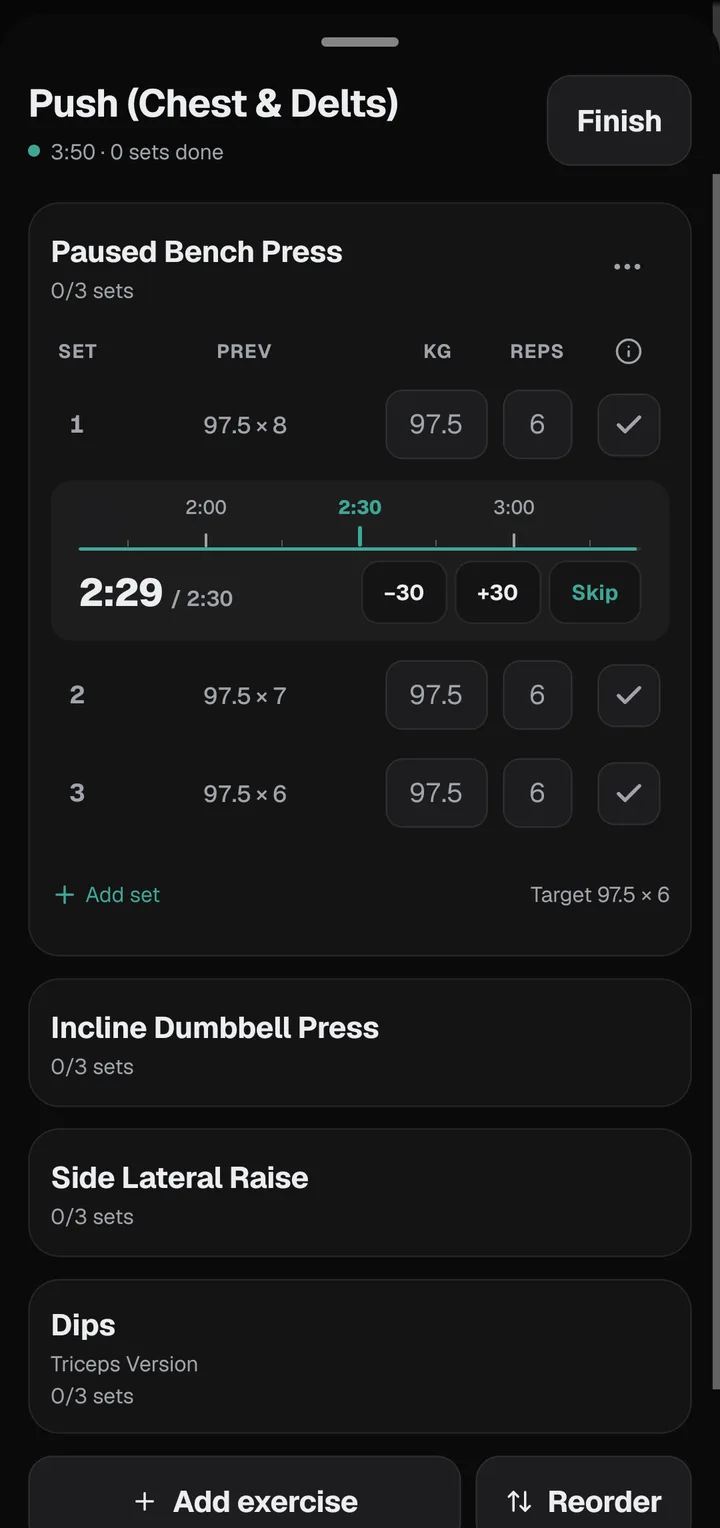
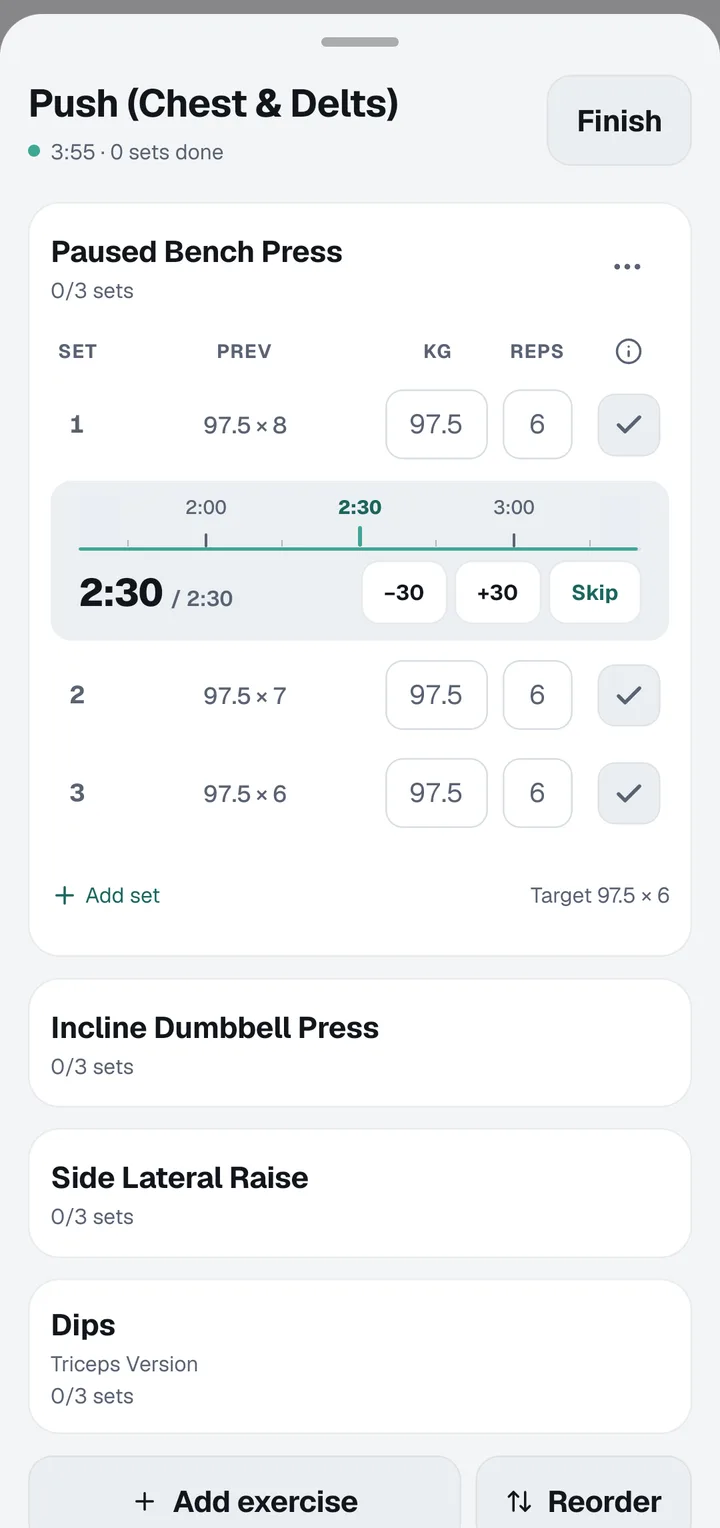
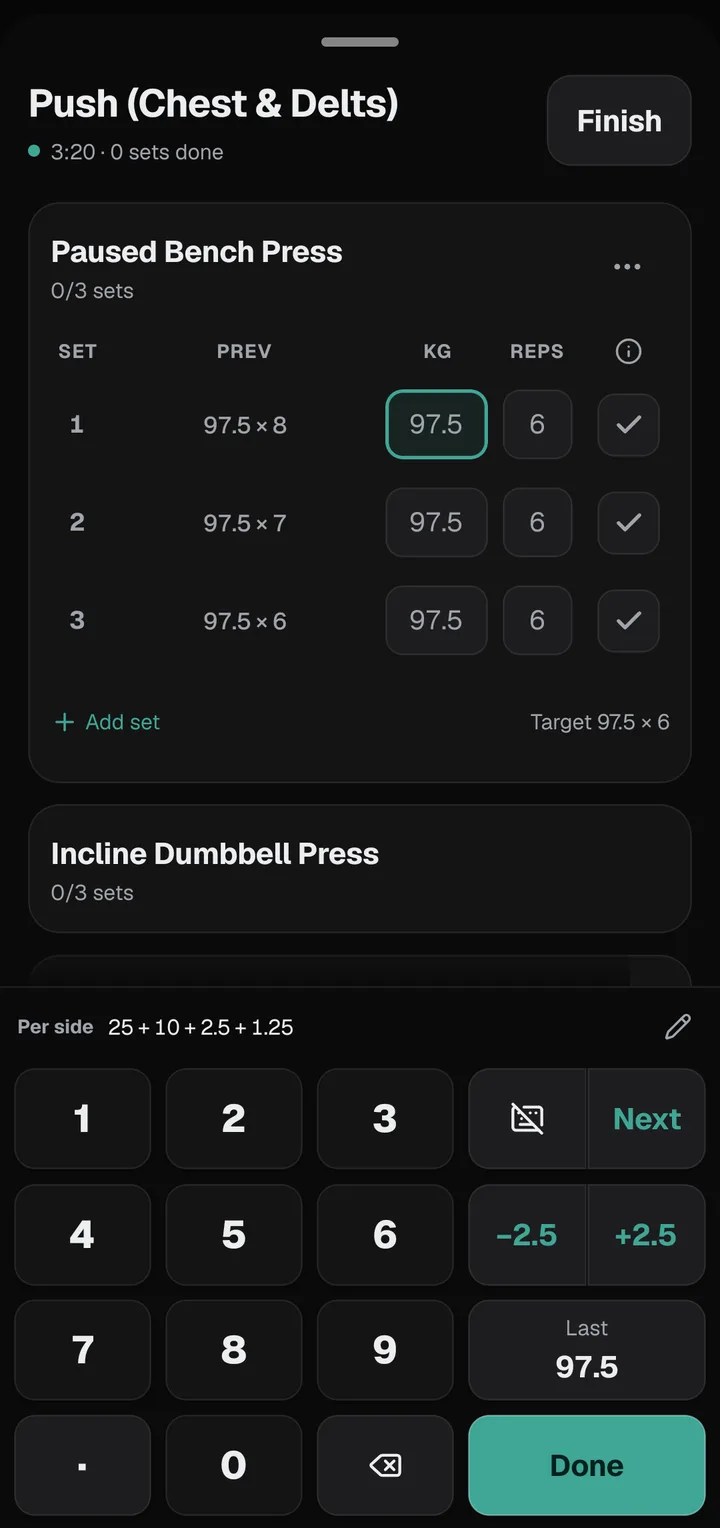
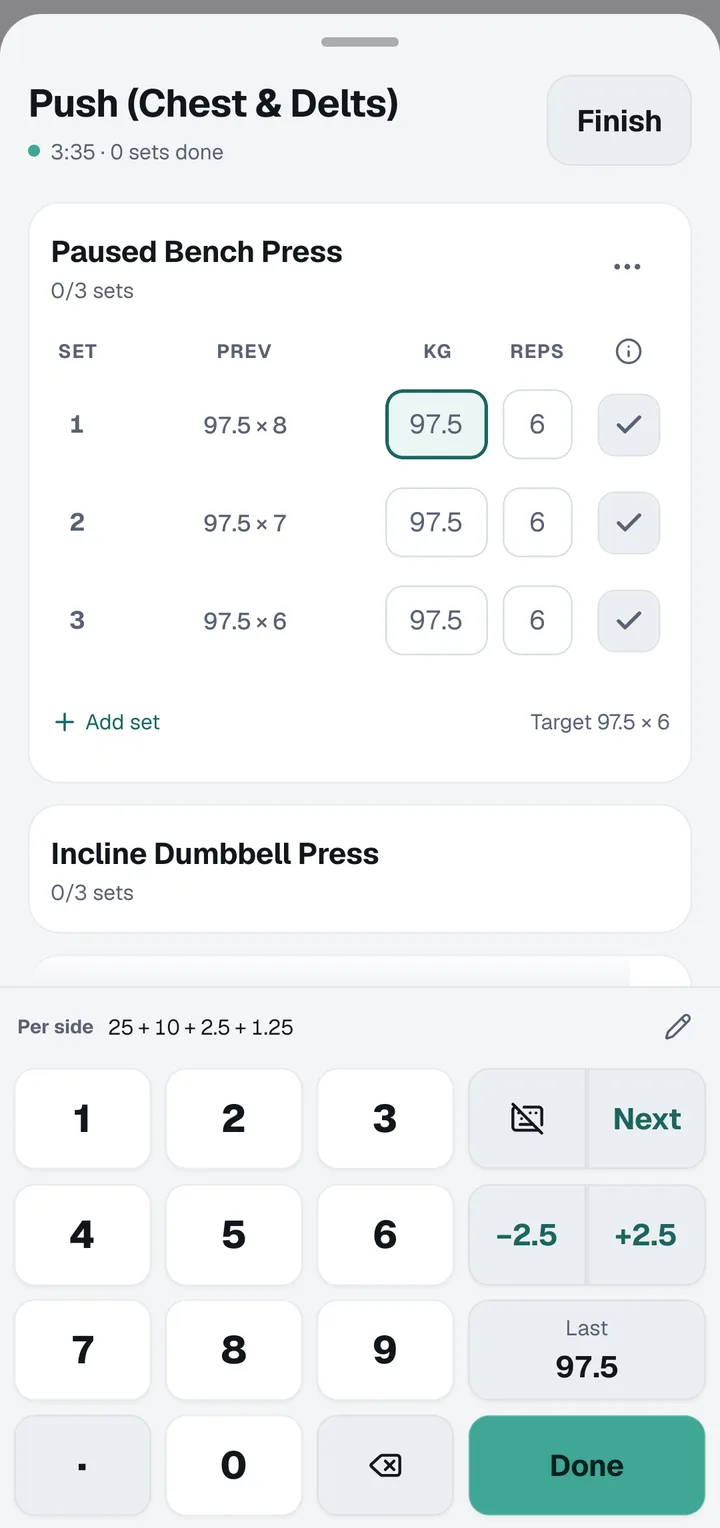
Log a set with one thumb
Setload's workout keypad sits under your thumb: digits, − and + steppers sized to your gym's plates, last time's weight one tap away, and Next to move to the following set. For barbell lifts it shows exactly which plates to load on each side.
Set 02
A rest timer on autopilot
Tick a set and the rest timer starts on its own. Add 30 seconds or skip from the notification, and on iPhone watch it count down on the Lock Screen and in the Dynamic Island while your phone stays in your pocket.
Set 03
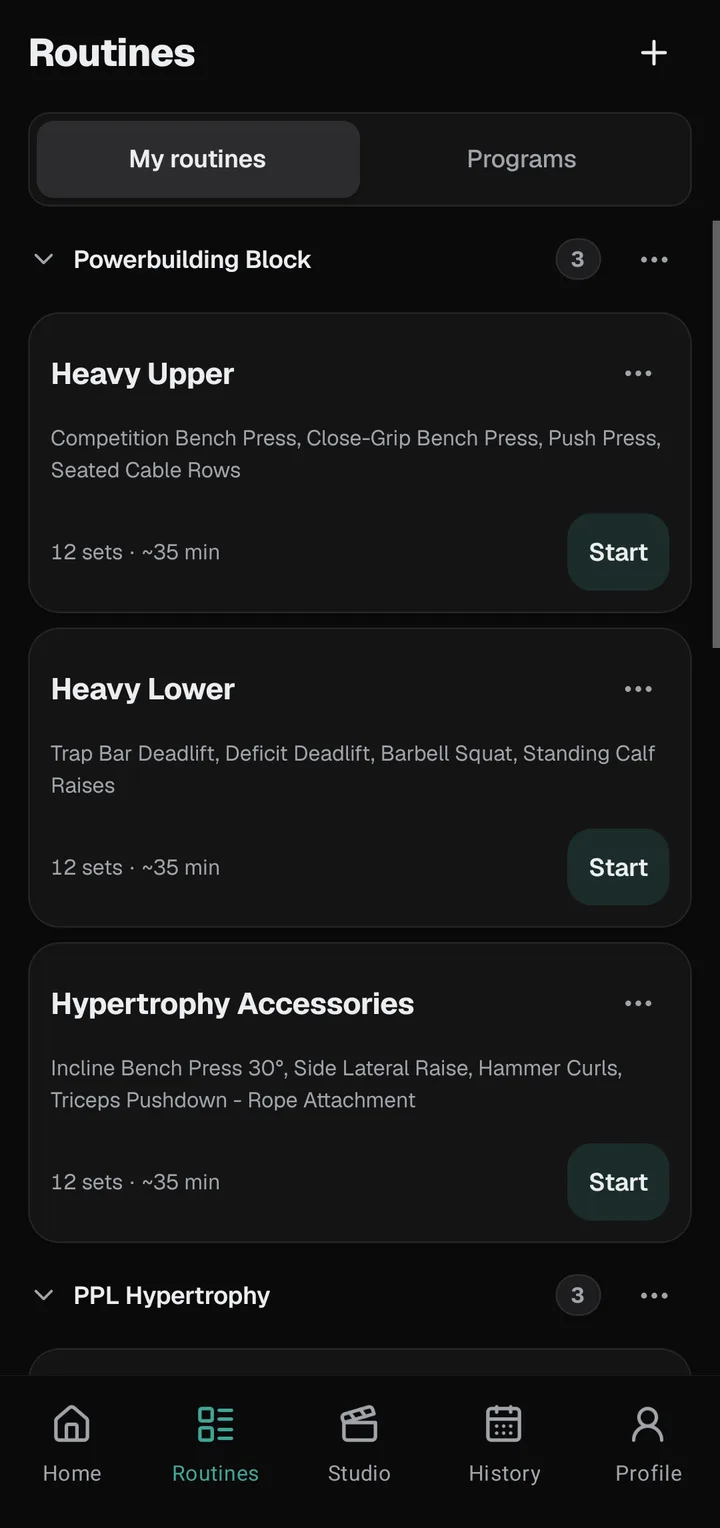
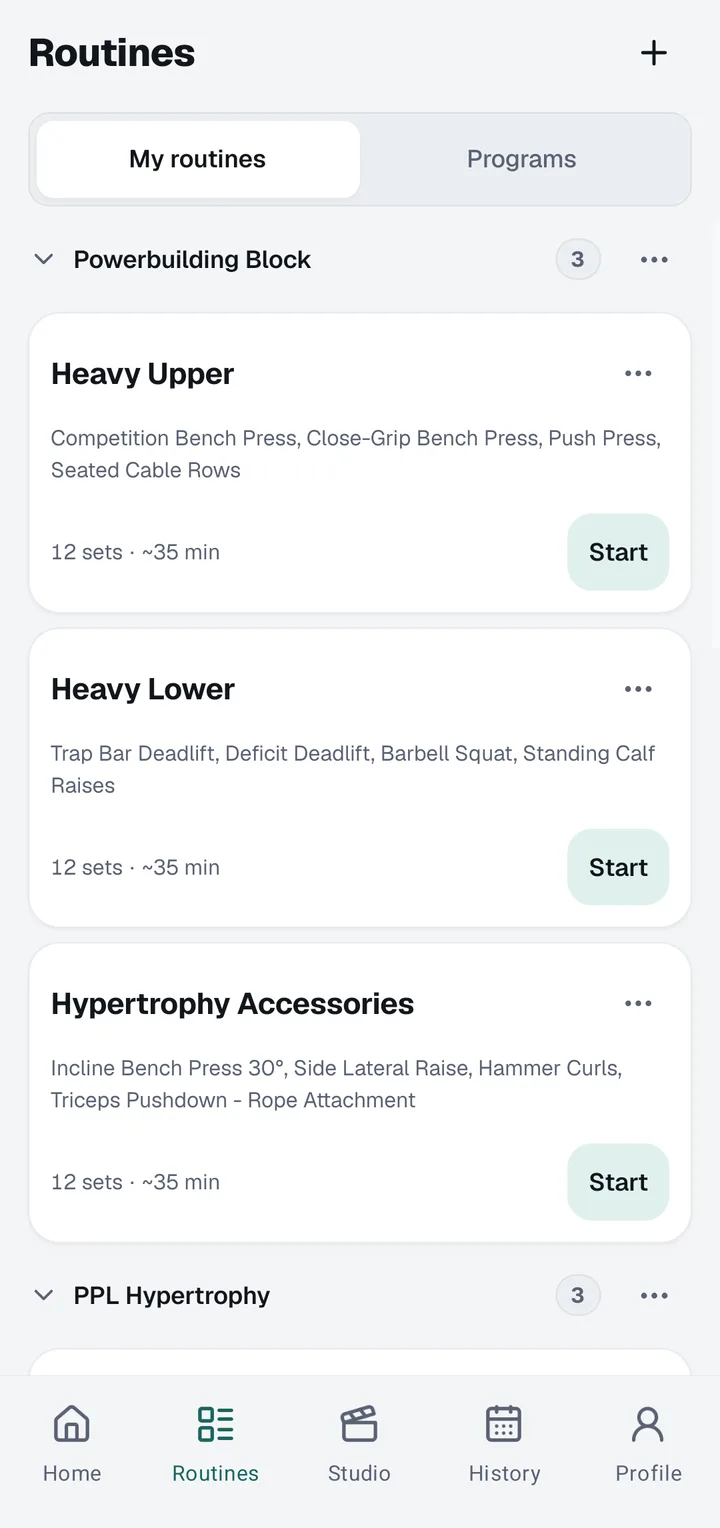
Your routines, neatly in folders
Save the workouts you repeat as routines, group them into folders, and start one with a tap. Supersets, warm-up sets and RPE are there when you want them, kg or lb is your choice, and a left-handed layout is one switch away. Free covers five routines; Setload Pro removes the limit.
Set 04
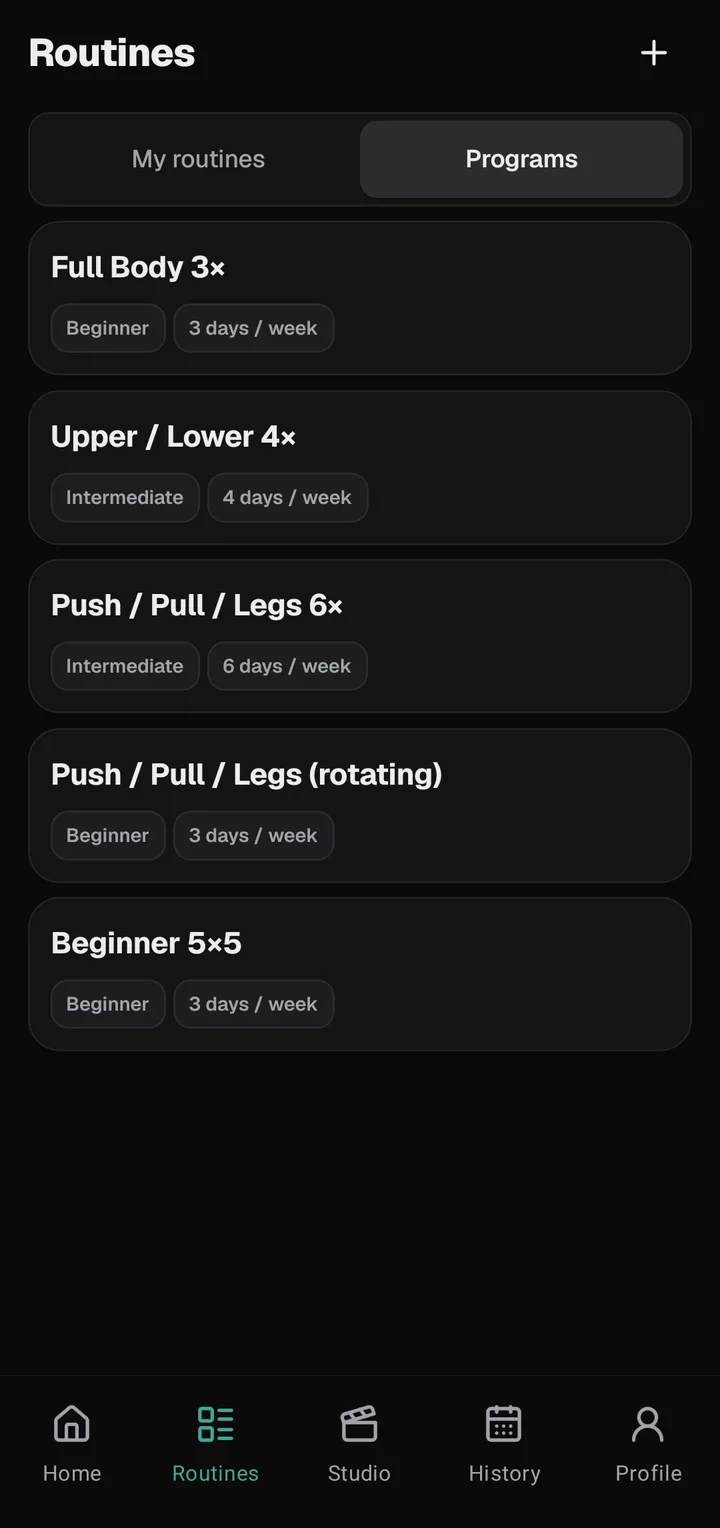
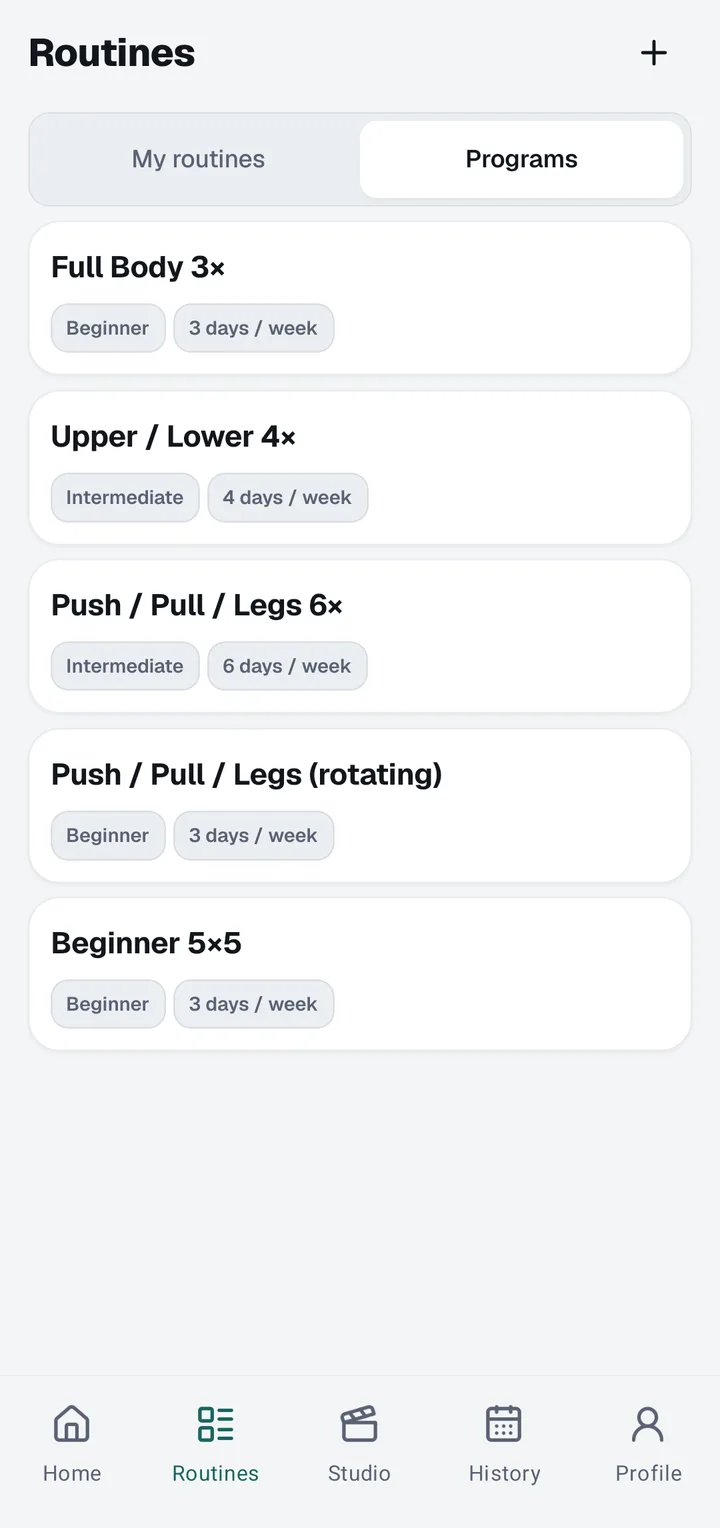
Pick a program. Start today.
Full Body, Upper/Lower, Push Pull Legs and Beginner 5×5 are built in. Tell Setload how many days you train and it suggests a program that fits. Beginner 5×5 and Full Body are free; with Setload Pro, every program sets each next session’s weights from your last one.
Set 05
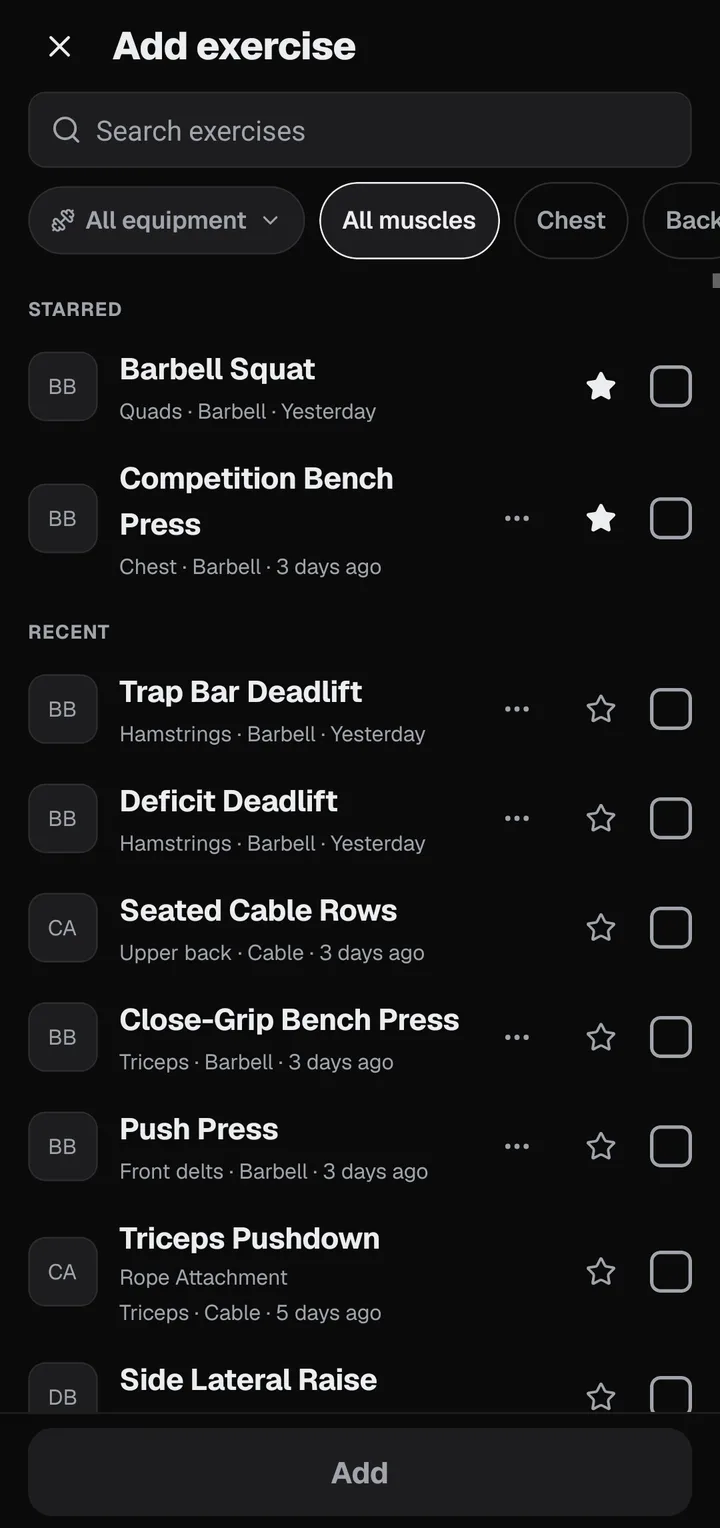
715 exercises. Two languages.
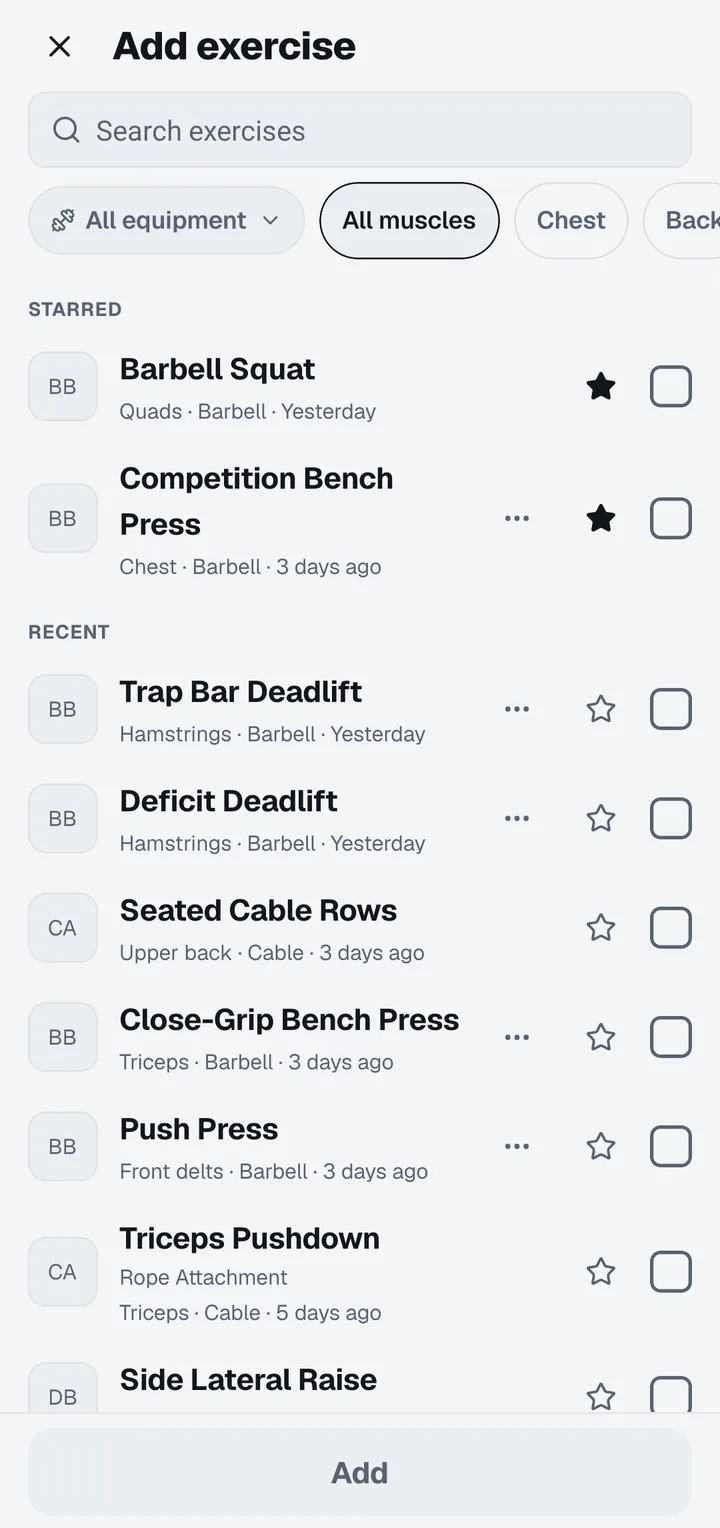
Every exercise has its Japanese name, and nearly all come with instructions. Search in either language, filter by muscle or equipment, and add your own exercises when your gym has a machine nobody else does. Free covers ten custom exercises; Setload Pro removes the limit.
02
Watch it build
PRs, charts and your body, tracked for you. Zero spreadsheets.
Set 06
Every PR, caught automatically
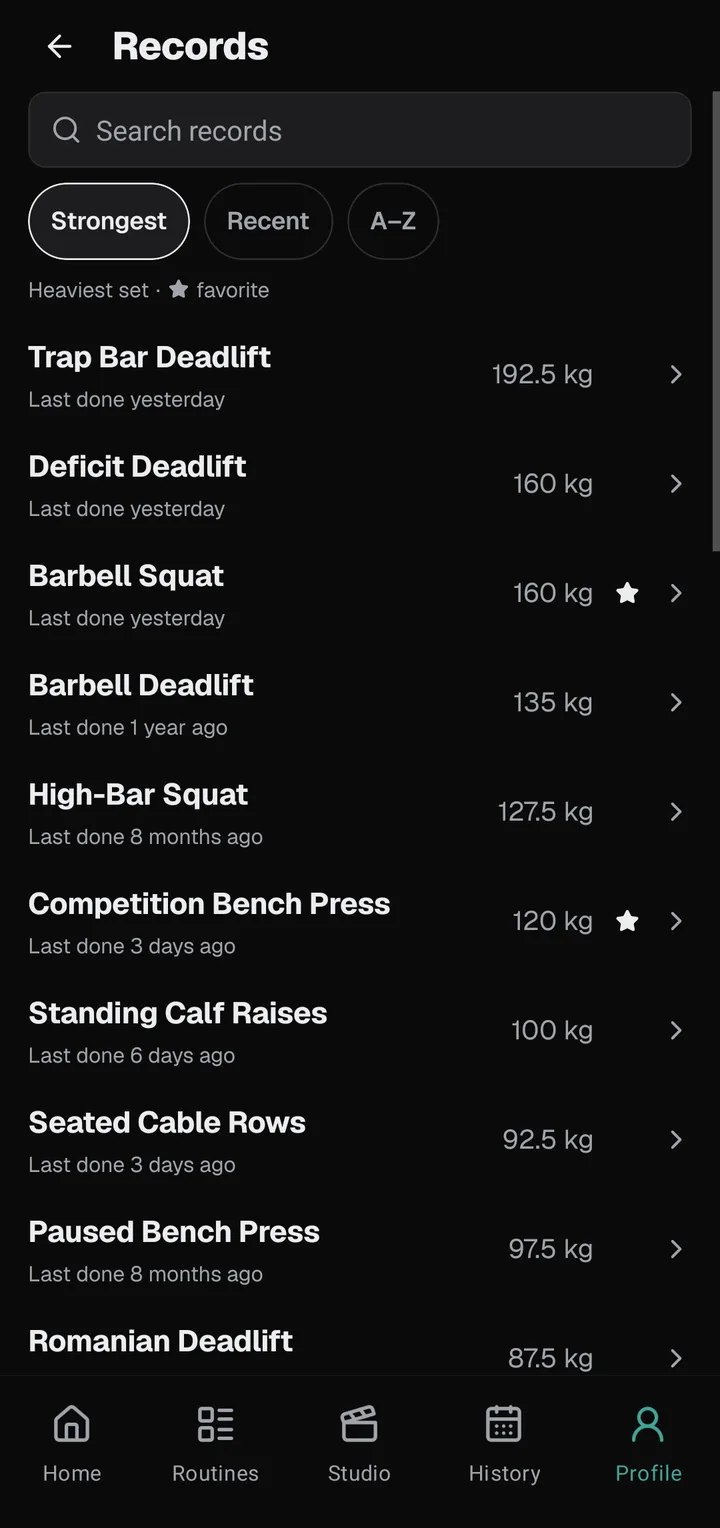
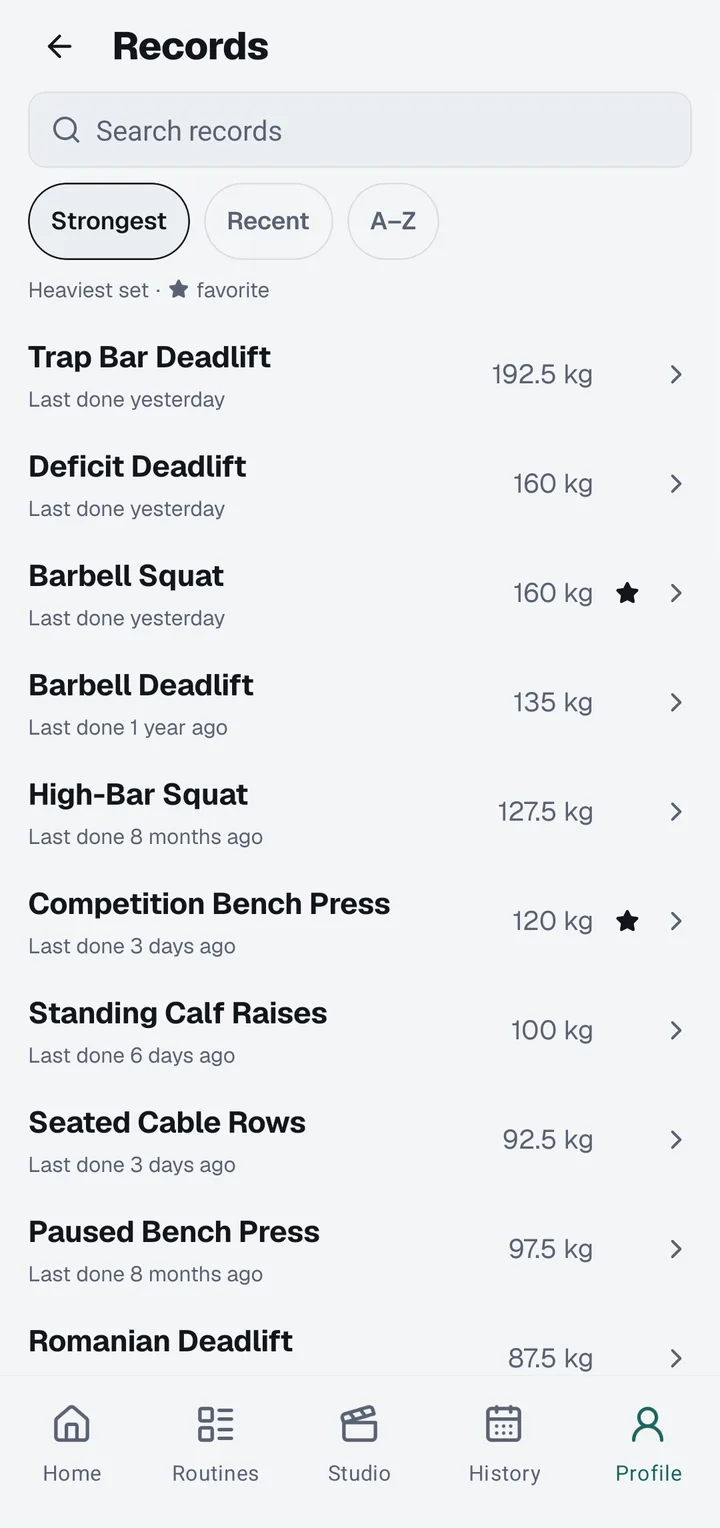
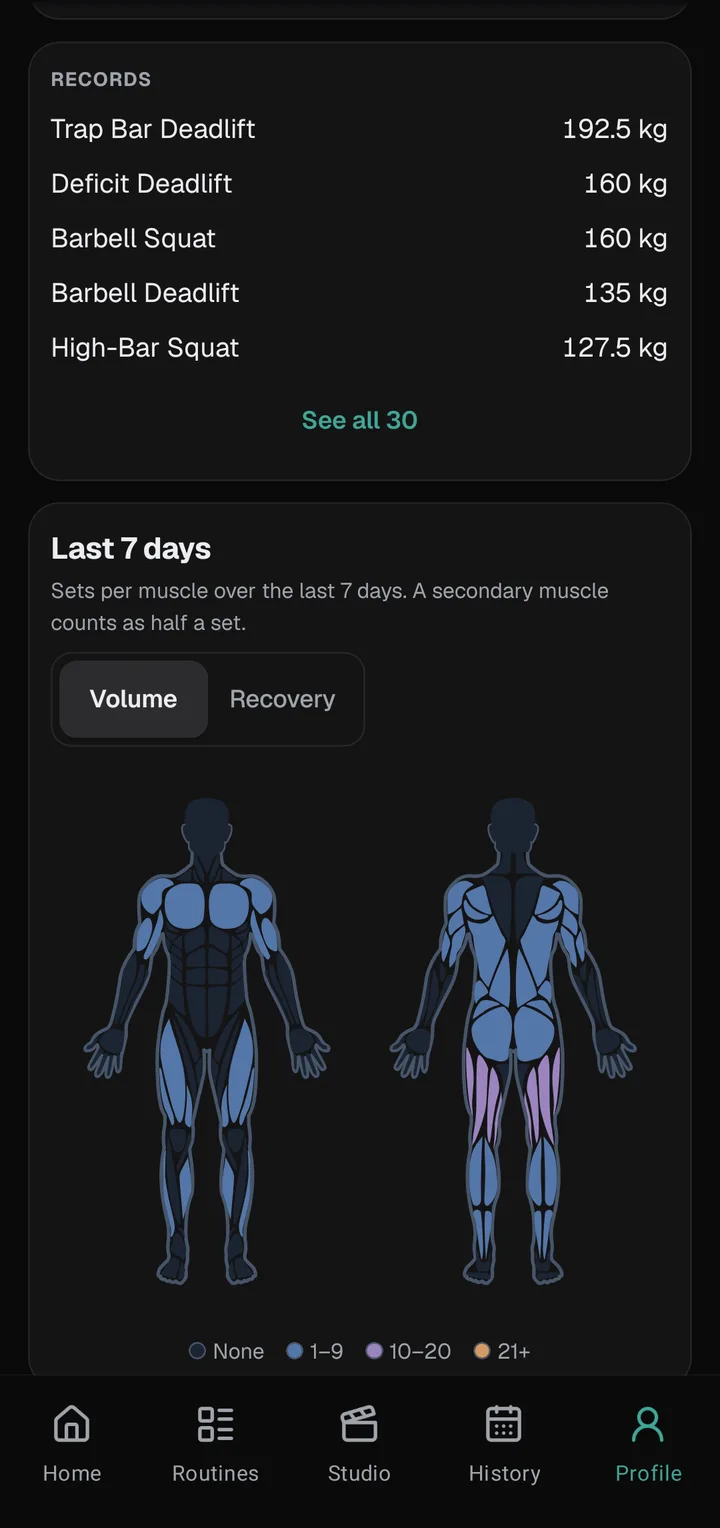
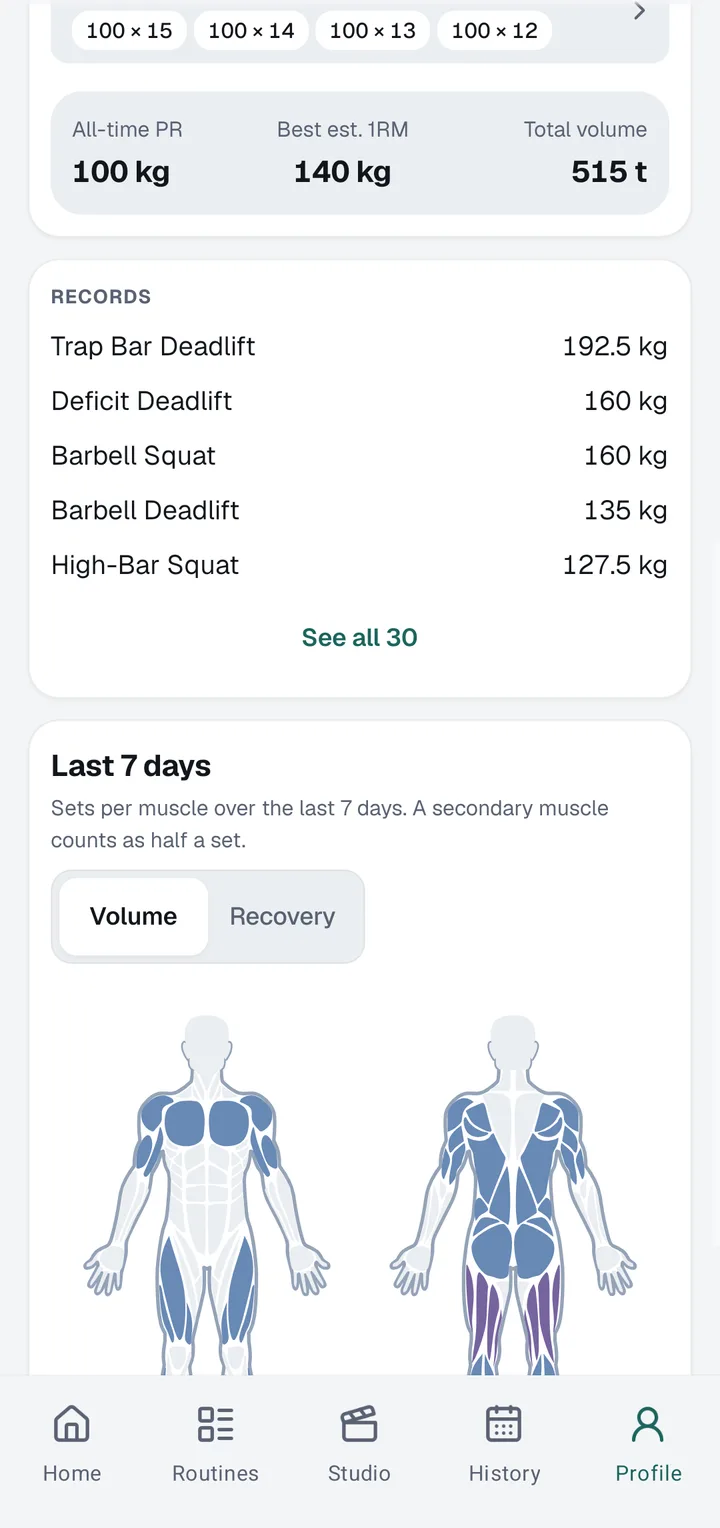
Setload checks every set as you log it and marks new records for heaviest weight, most reps and estimated one-rep max (e1RM). Your records list keeps the best of every lift in one place, and when you hit a new one, a PR badge sticker is ready for your post.
Set 07
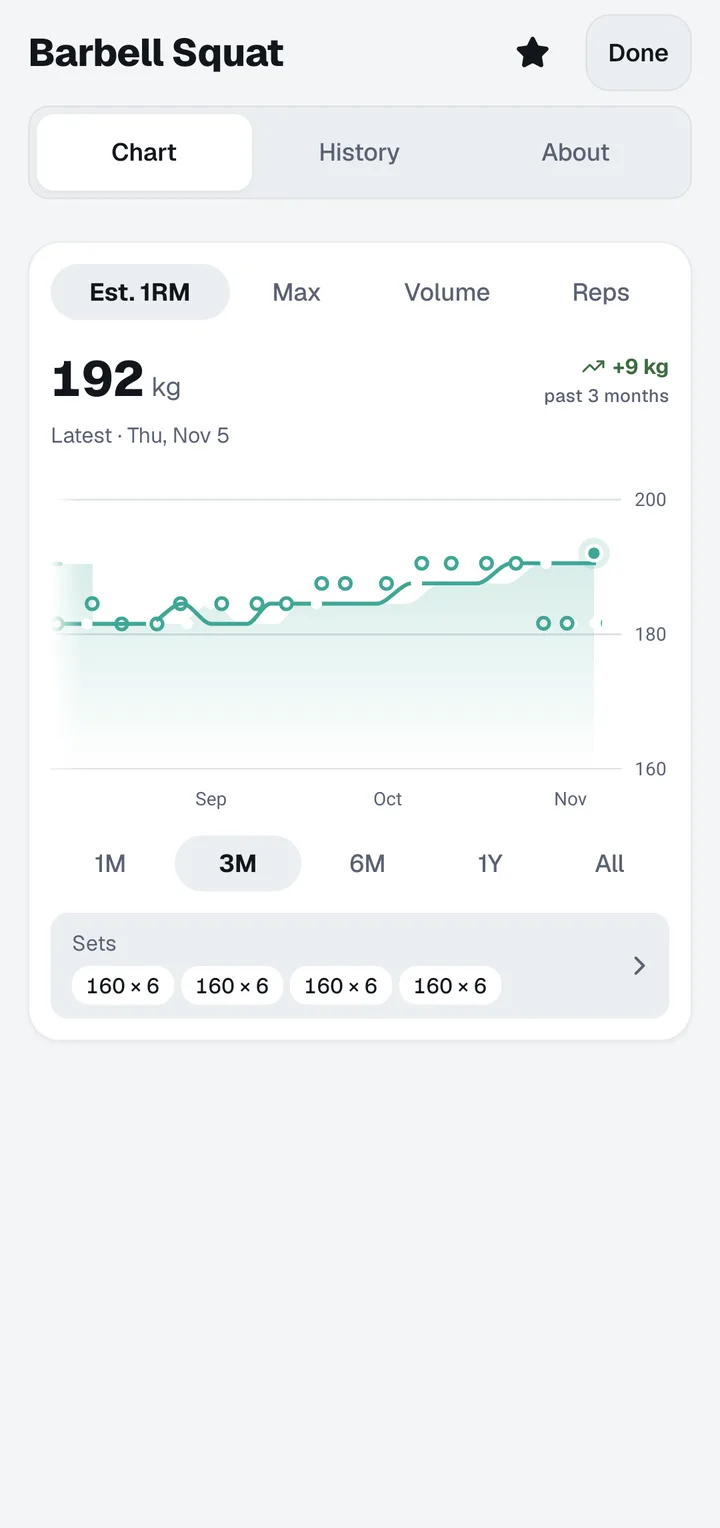
A chart for every lift
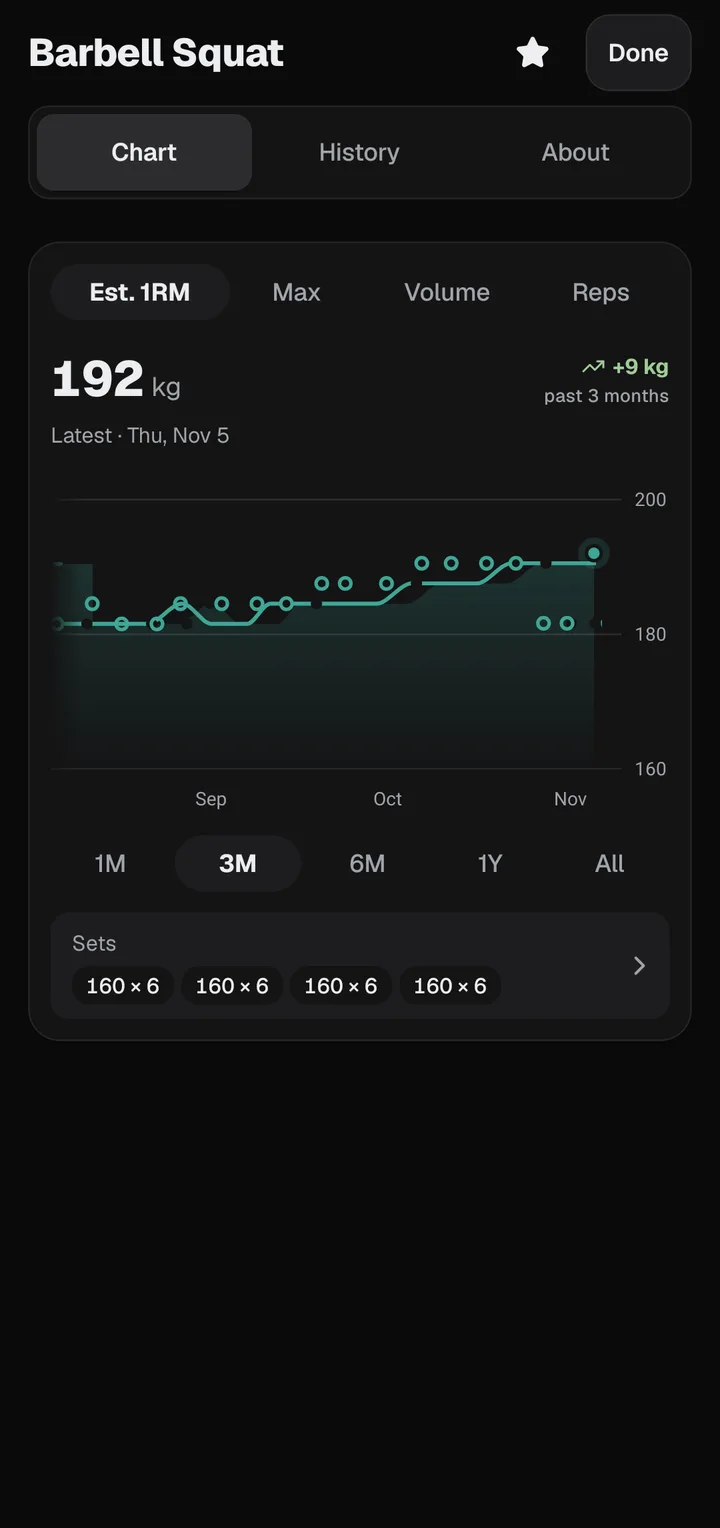
Open any exercise to see its trend over weeks, months or all time: top weight, estimated 1RM or volume, with every session behind each point. The last 90 days are free; Setload Pro keeps your whole history on the chart, so a year of progress reads as one line.
Set 08
See exactly what you trained
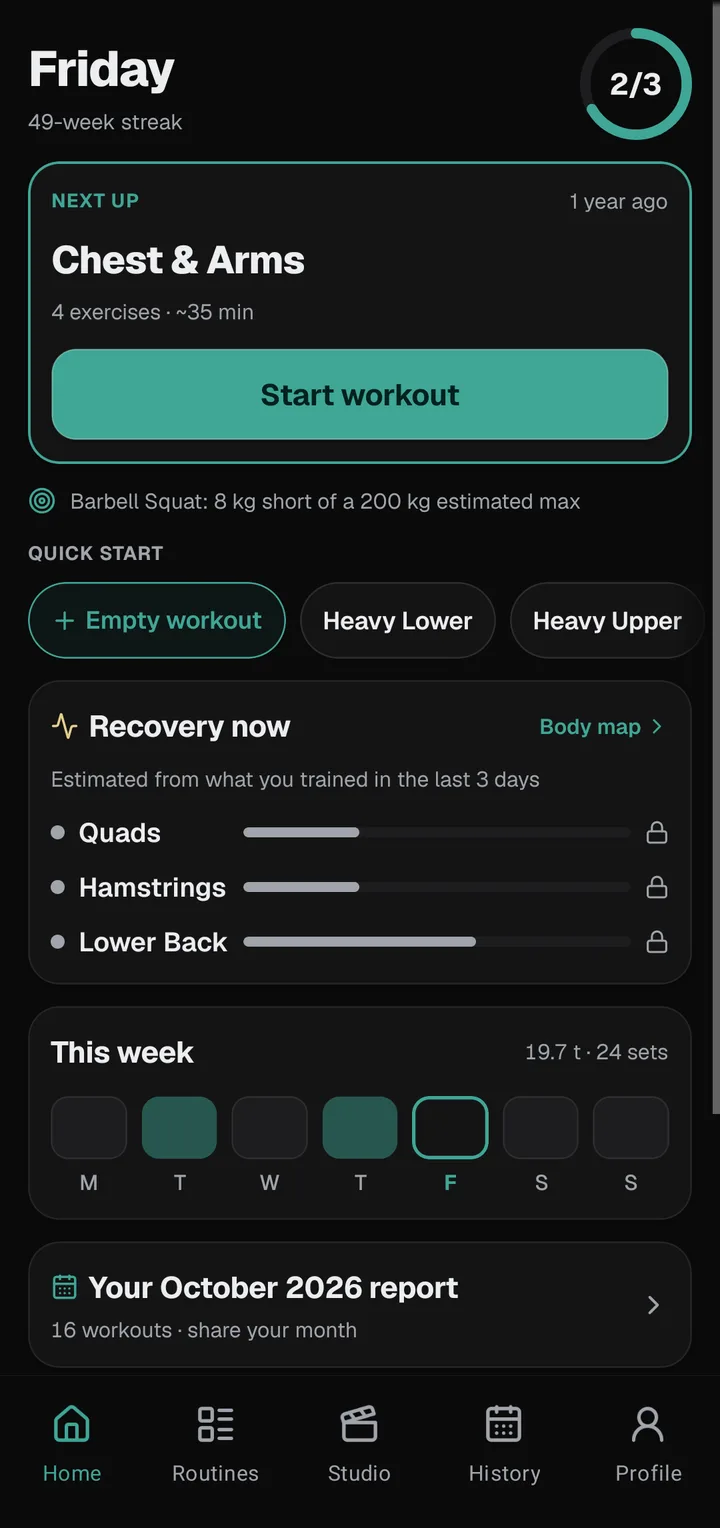
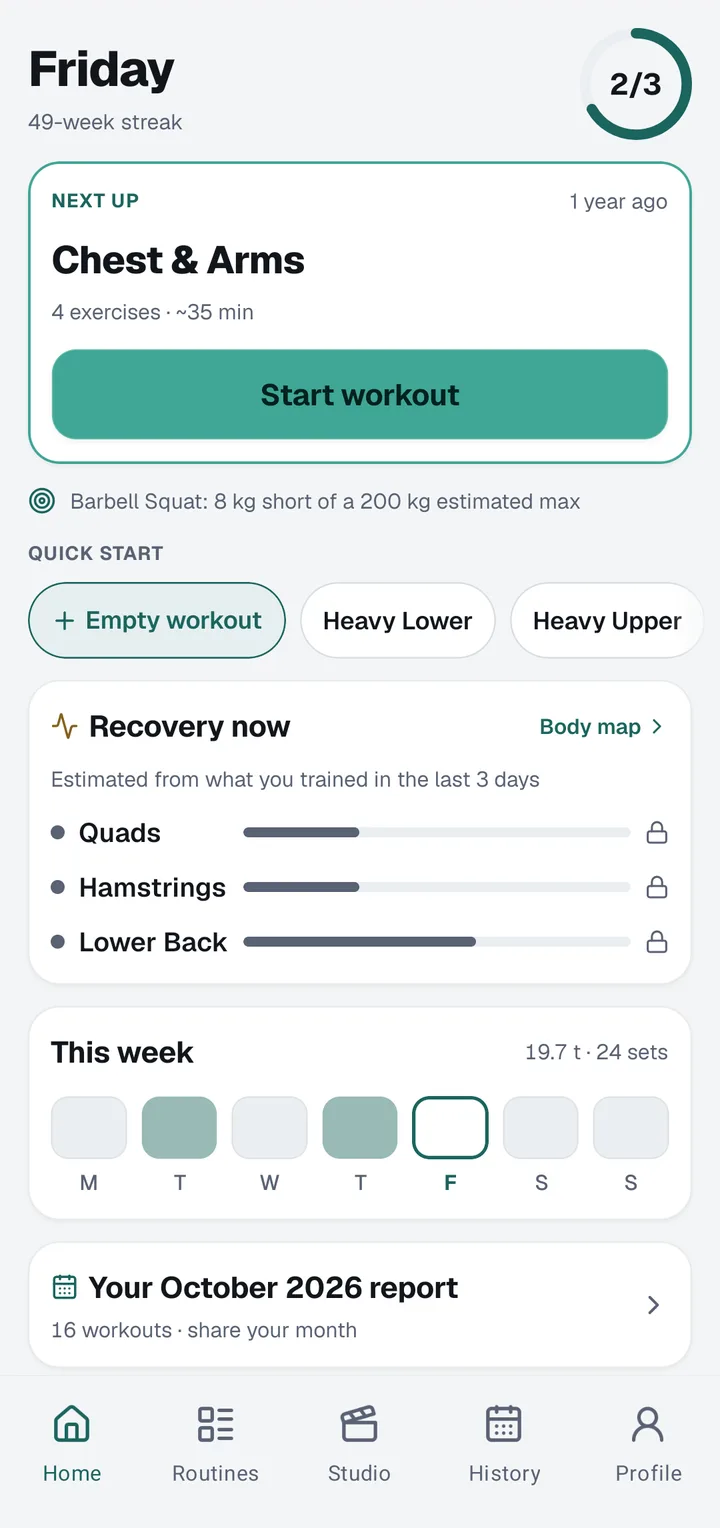
A body map colours each muscle group by the sets you logged this week, and a recovery view estimates what’s fresh and what’s still recovering. It’s an estimate from your training, not medical advice. Volume per muscle and the full recovery map come with Setload Pro.
Set 09
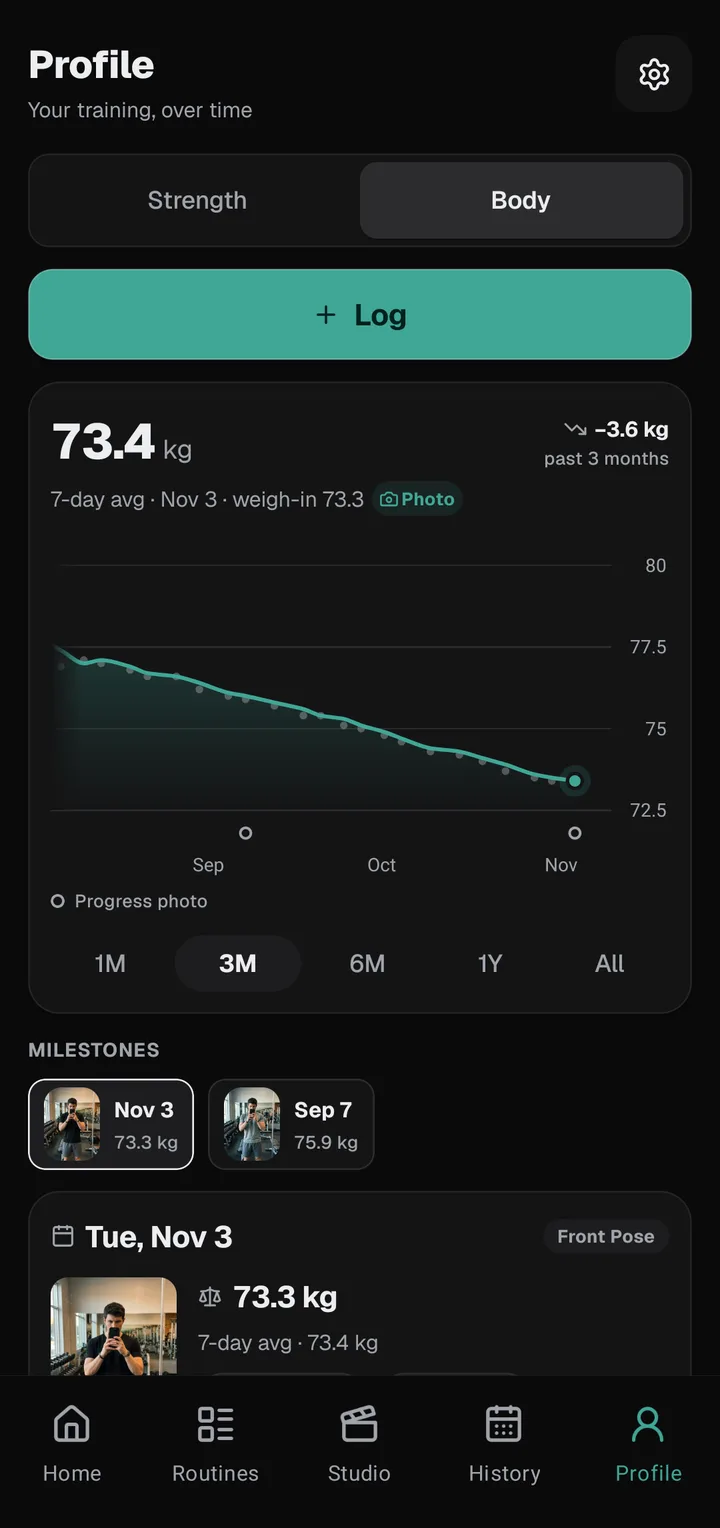
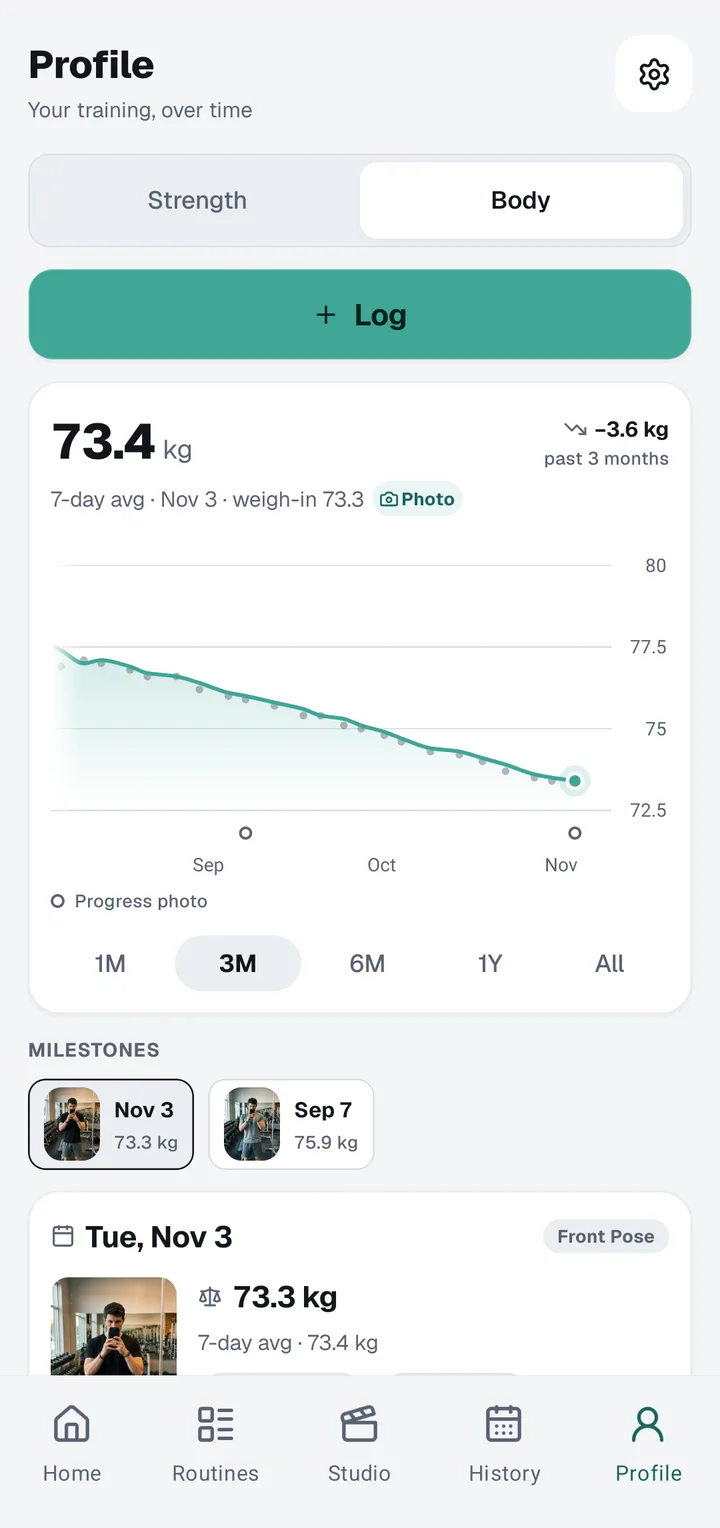
Weight, measurements, the whole picture
Log body weight, body fat and measurements like your waist, right next to your lifts, so a heavier squat and a smaller waist live in the same app. With Setload Pro, follow each one on its own trend line and see how your body changes as your lifts climb.
Set 10
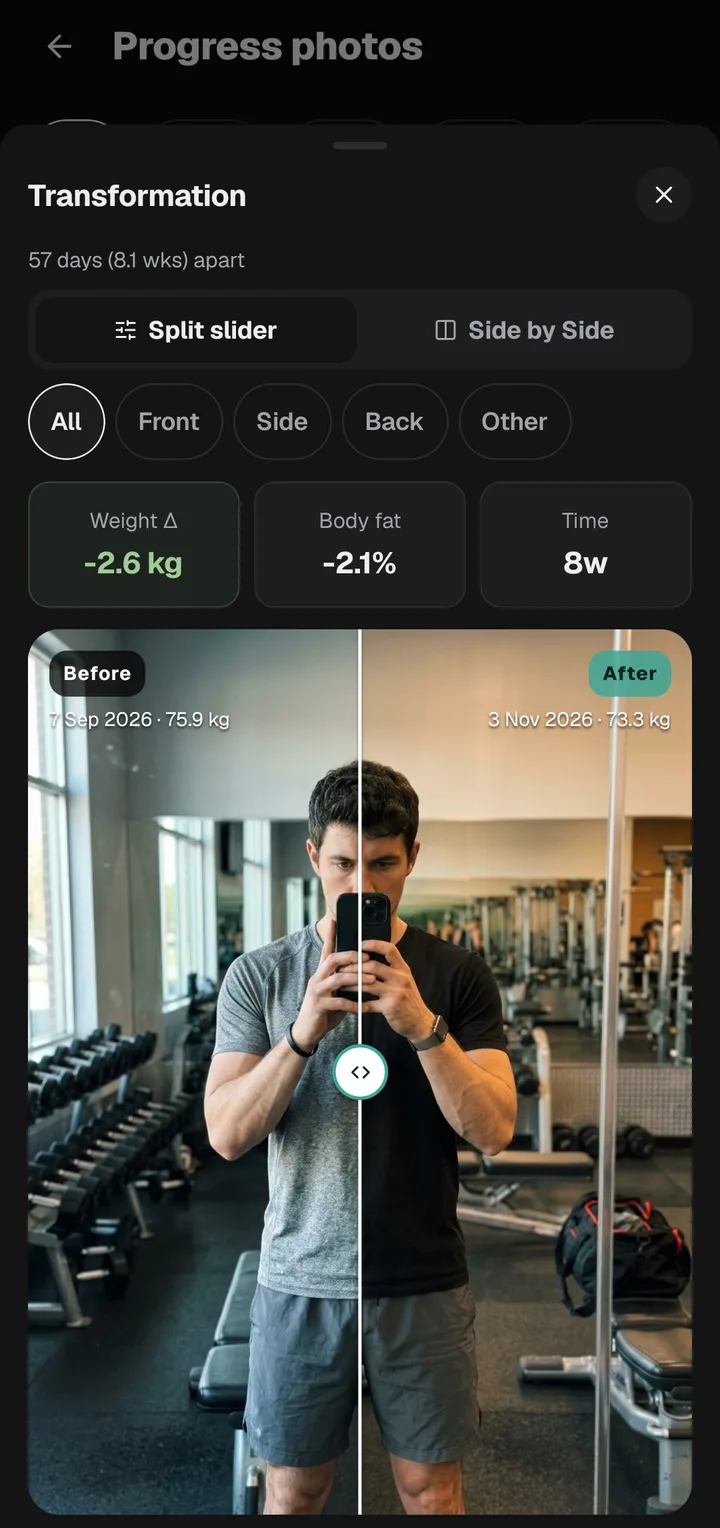
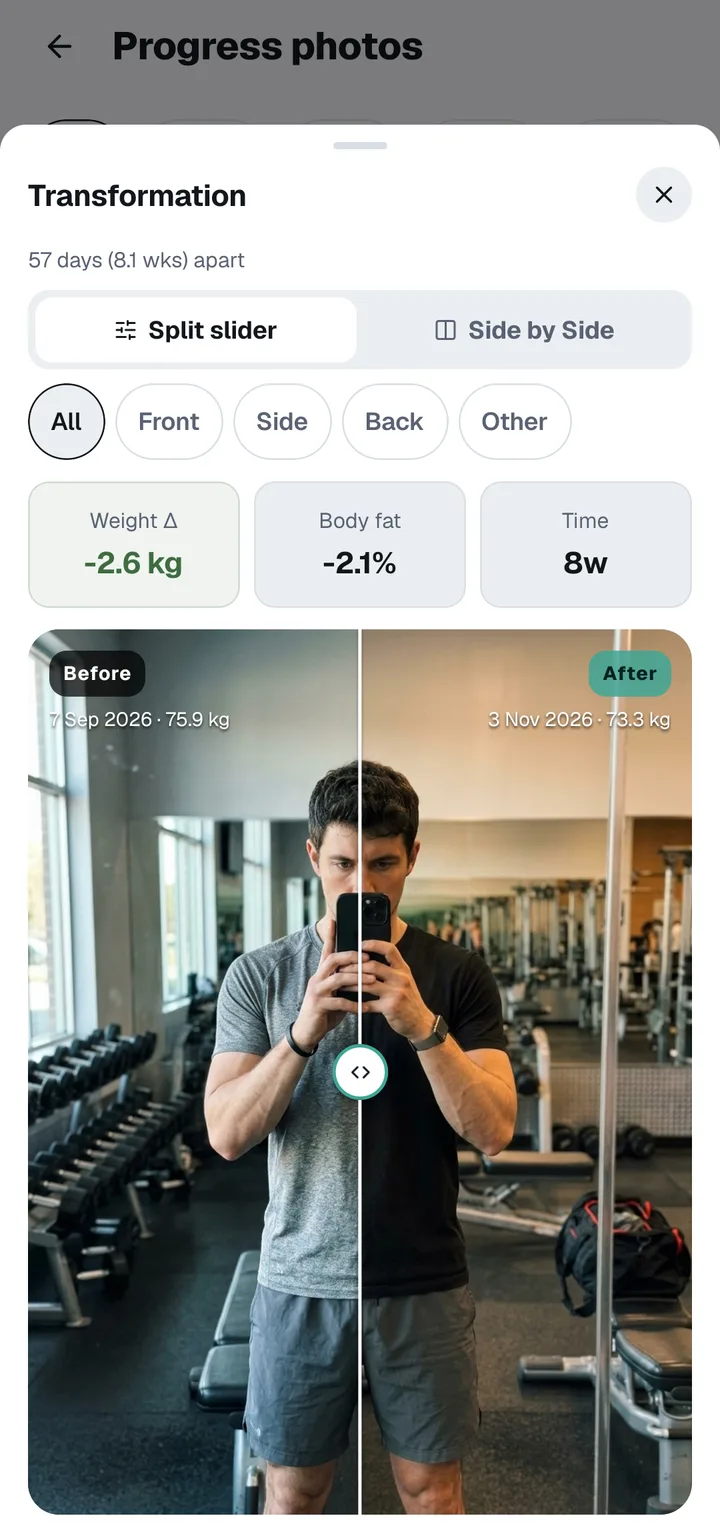
See the change, side by side
Take front, side and back progress photos with a guide that lines up each shot with the last one. With Setload Pro, drag a slider between any two dates to see the change. Taking photos is free, and every photo stays on your phone.
Set 11
Streaks that count weeks, not days
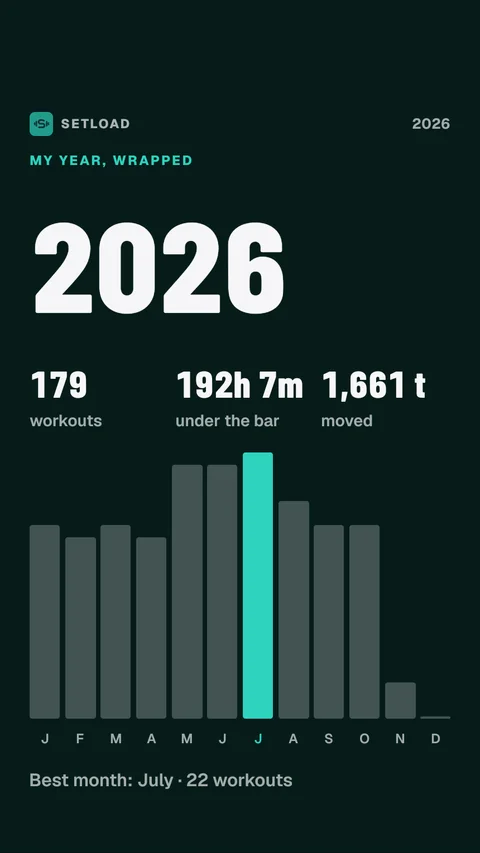
Set a weekly target from one to seven workouts. Every week you hit it adds to your streak, and rest days never break it. It rewards a steady routine instead of punishing a day off, and your streak can go onto a share card or a sticker on your own photo.
Set 12
Every session, on a calendar
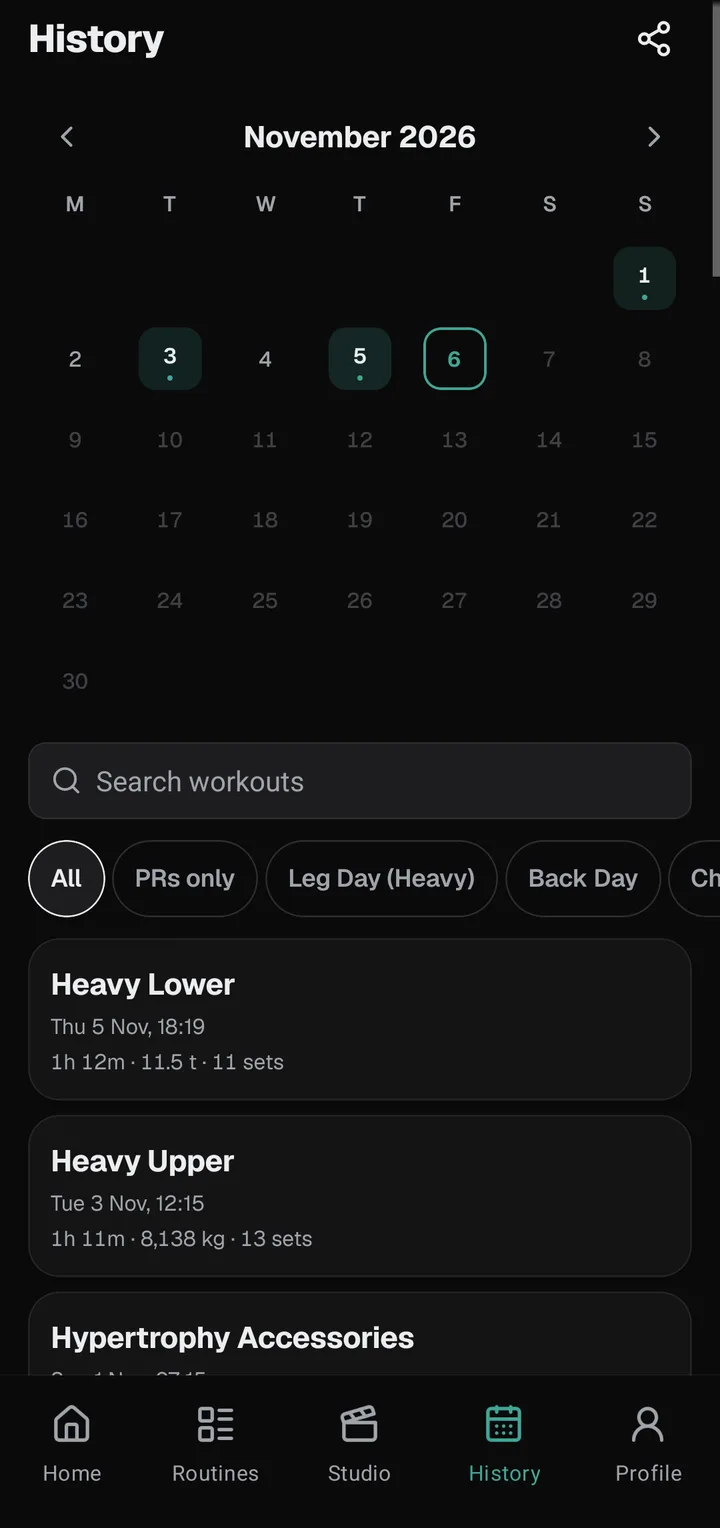
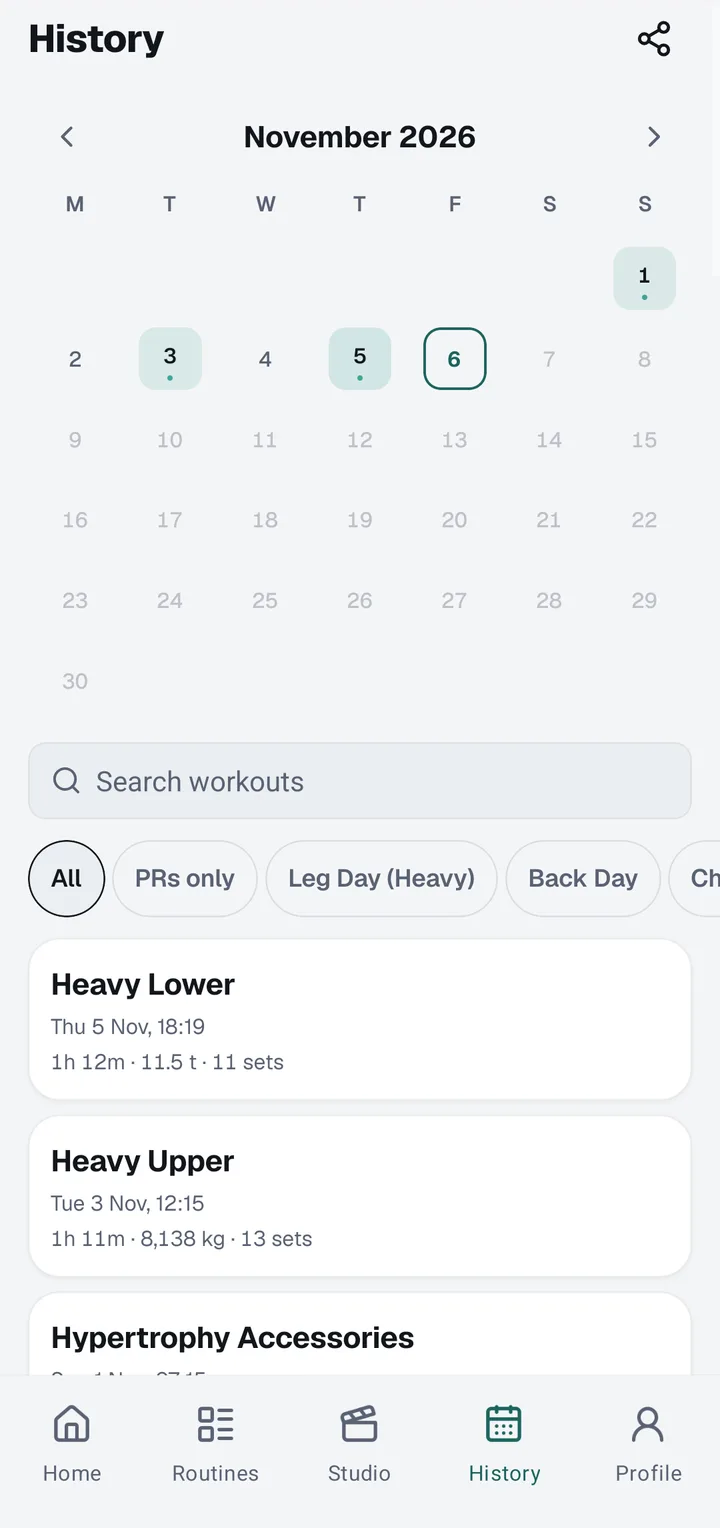
Every workout you finish lands on a calendar, with the full list below it. Open any day to see each set, its weight and its records, and turn it into a card even weeks later. Coming from Strong or Hevy? Import your CSV and your past sessions come with you.
03
Post the proof
Your workout, finished as a scroll-stopping card before you leave the gym.
Set 13
Finish strong. See it all.
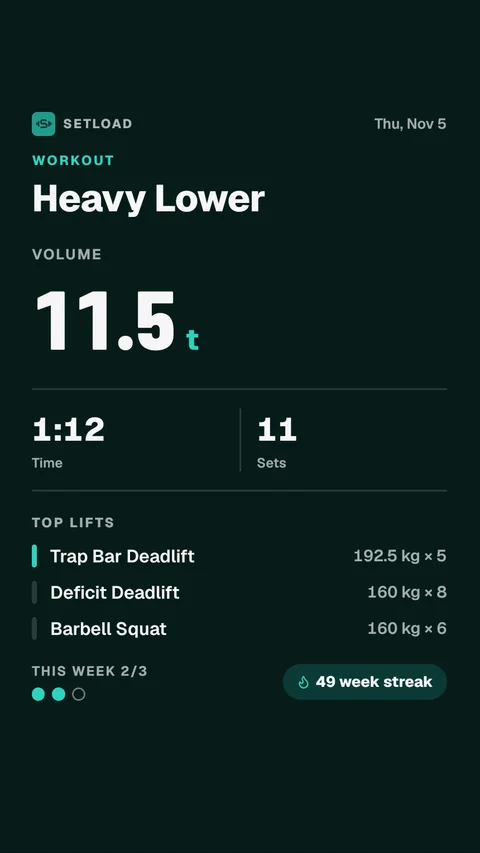
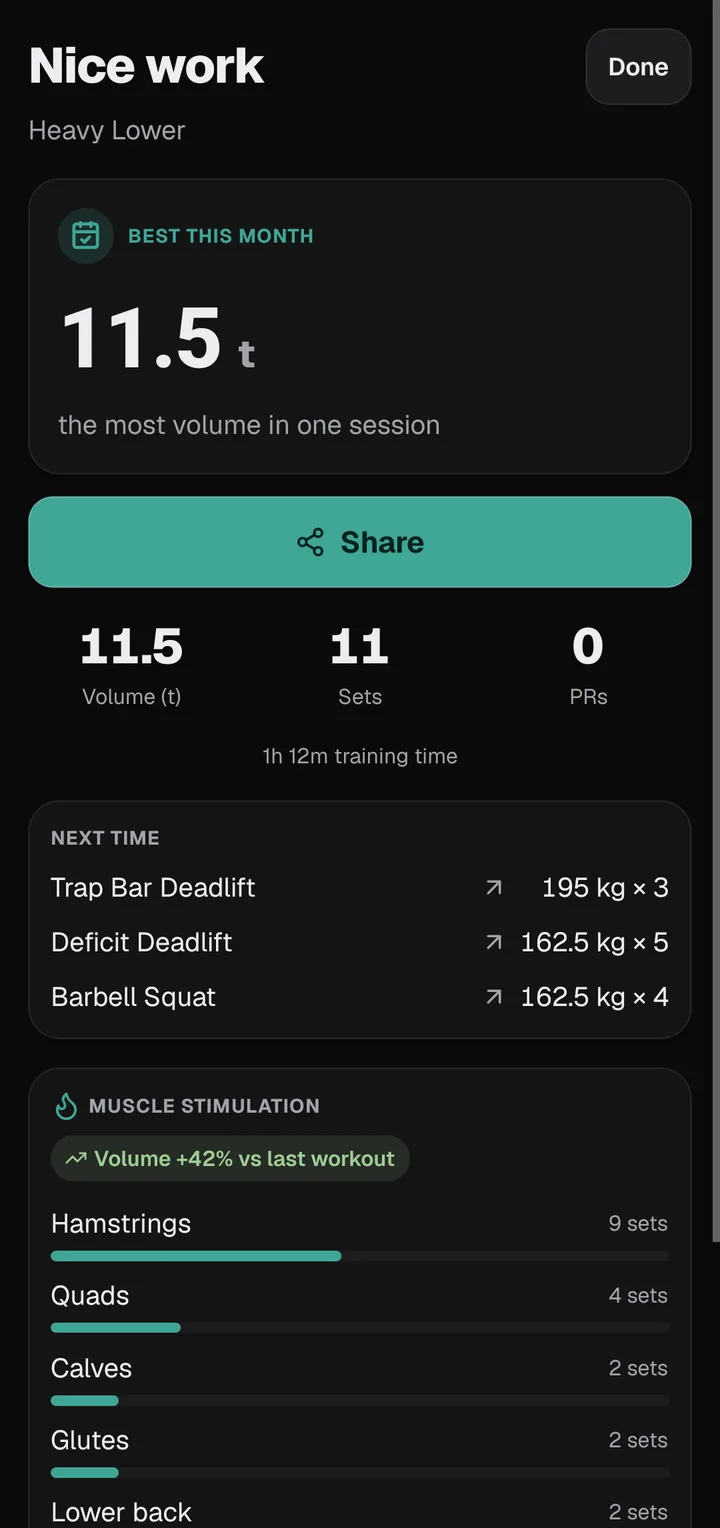
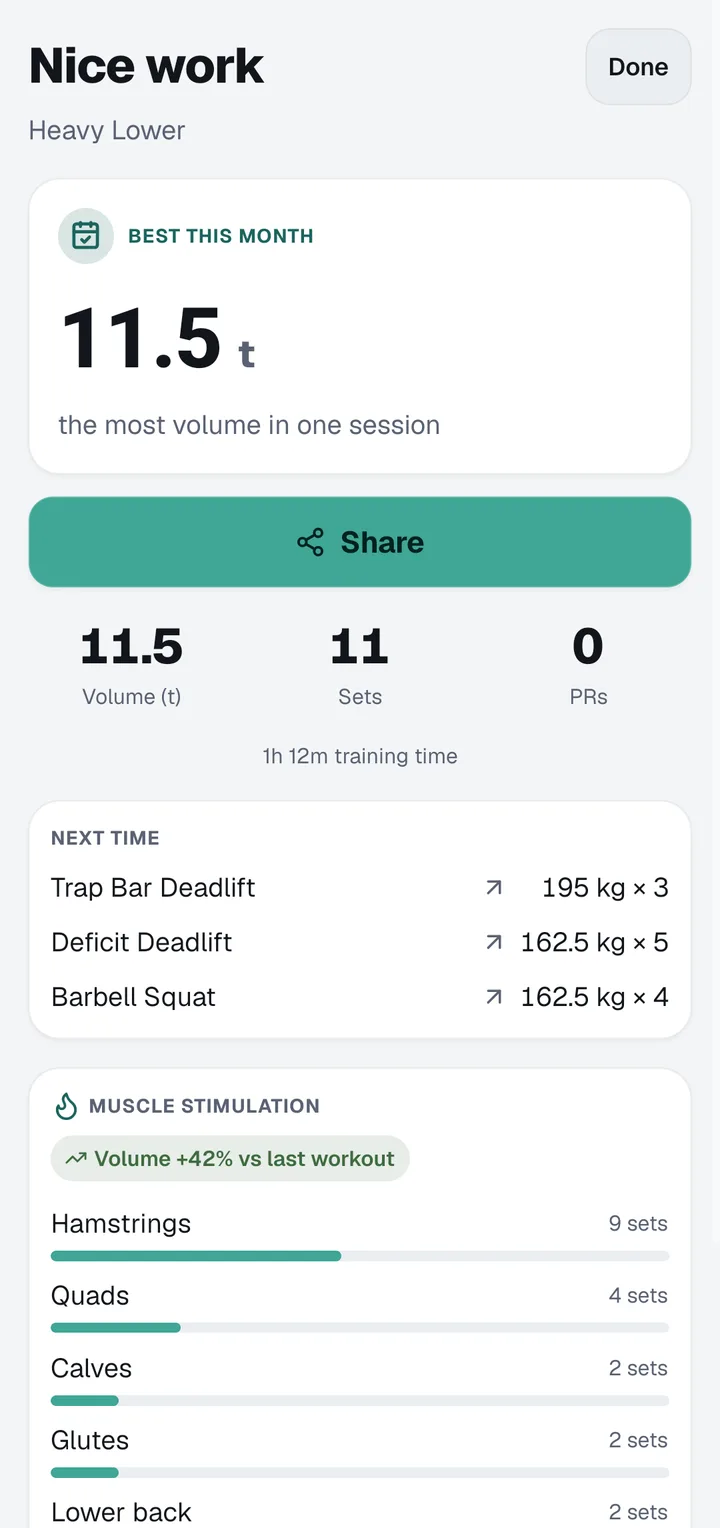
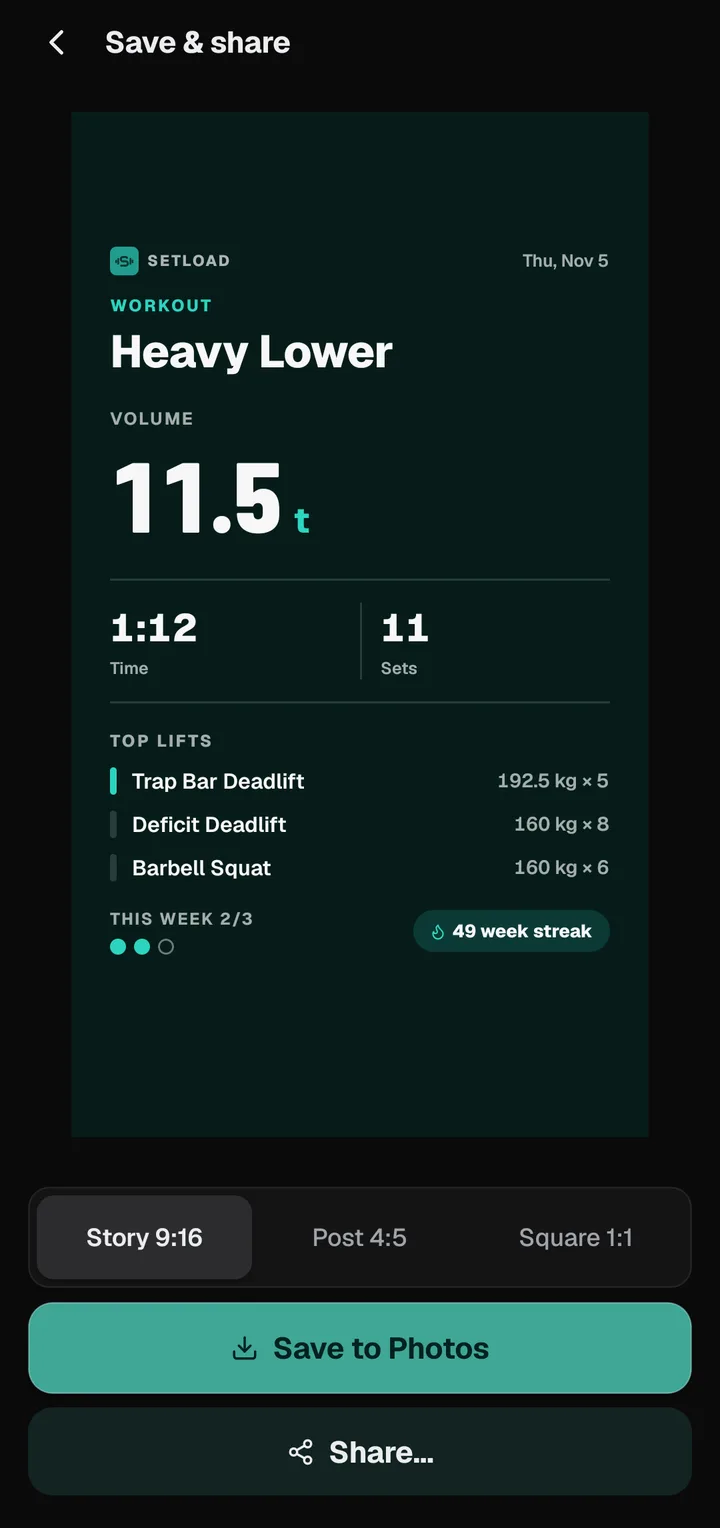
Tap Finish and Setload adds it up: time, sets, volume and every record you set that day. Check the numbers, then open the Studio and turn the session into a card for your Story or feed, without typing a single number again.
Set 14
25 designs. 12 palettes. Zero editing apps.
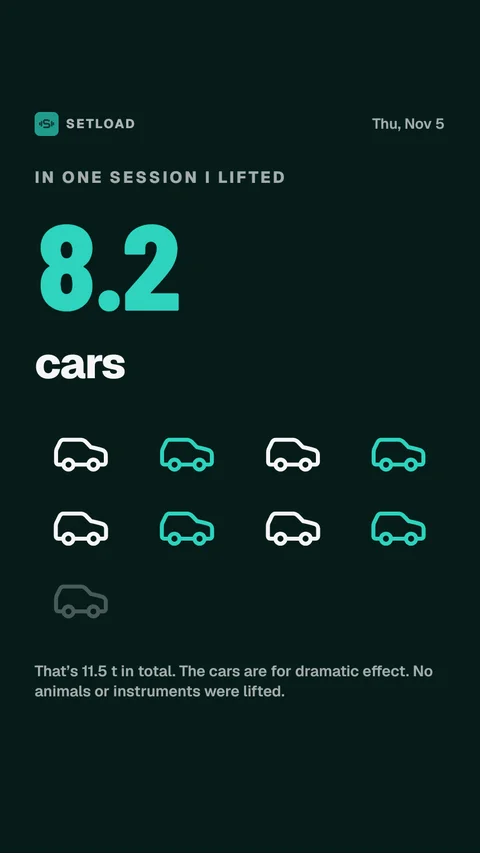
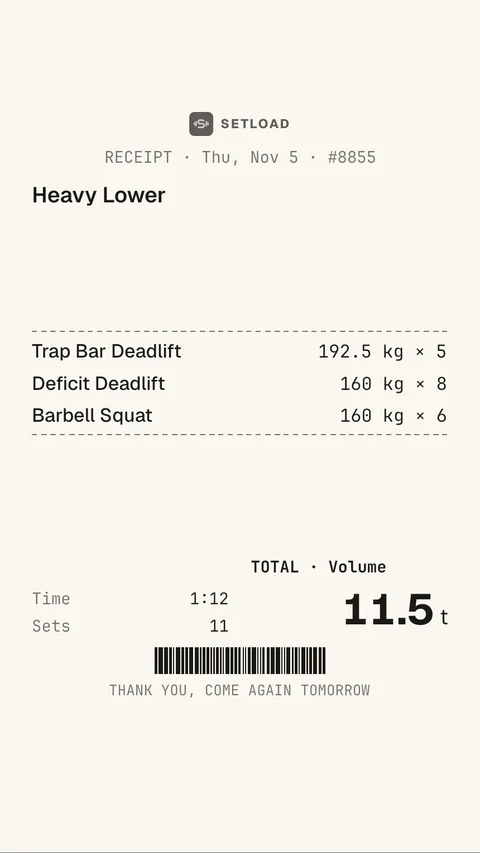
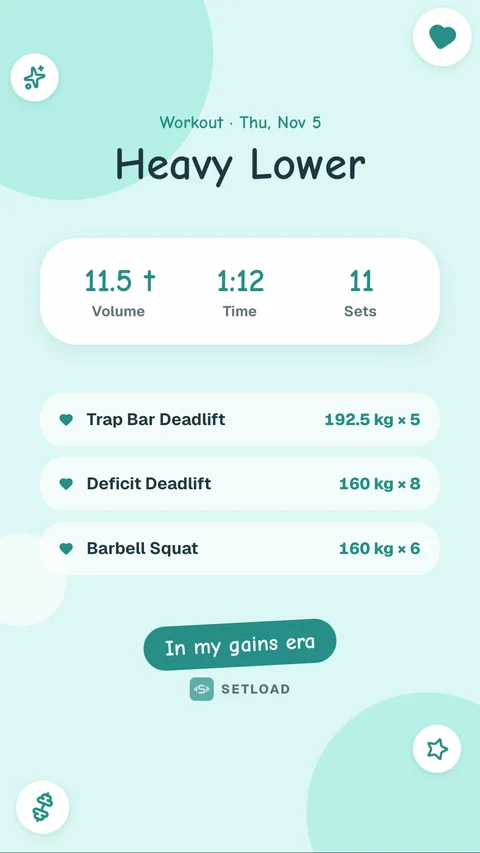
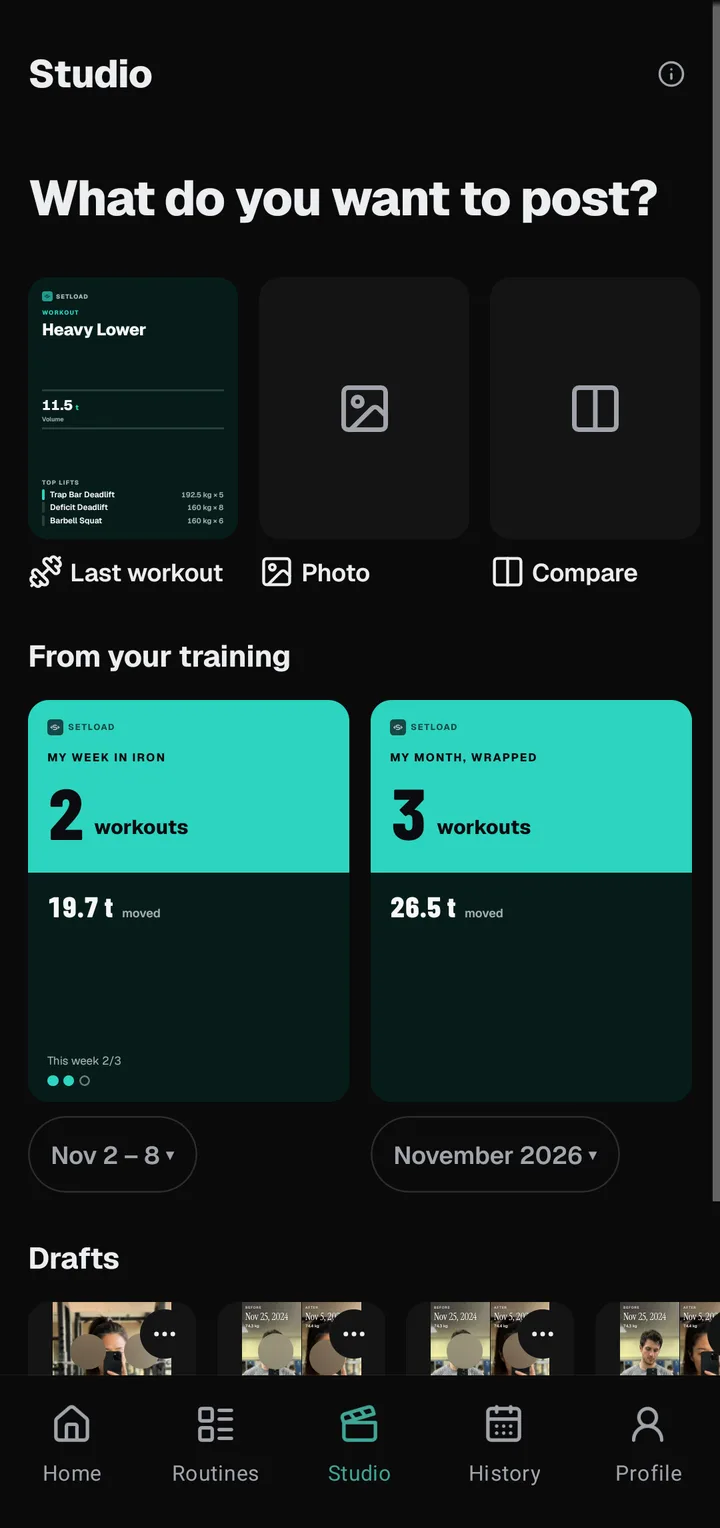
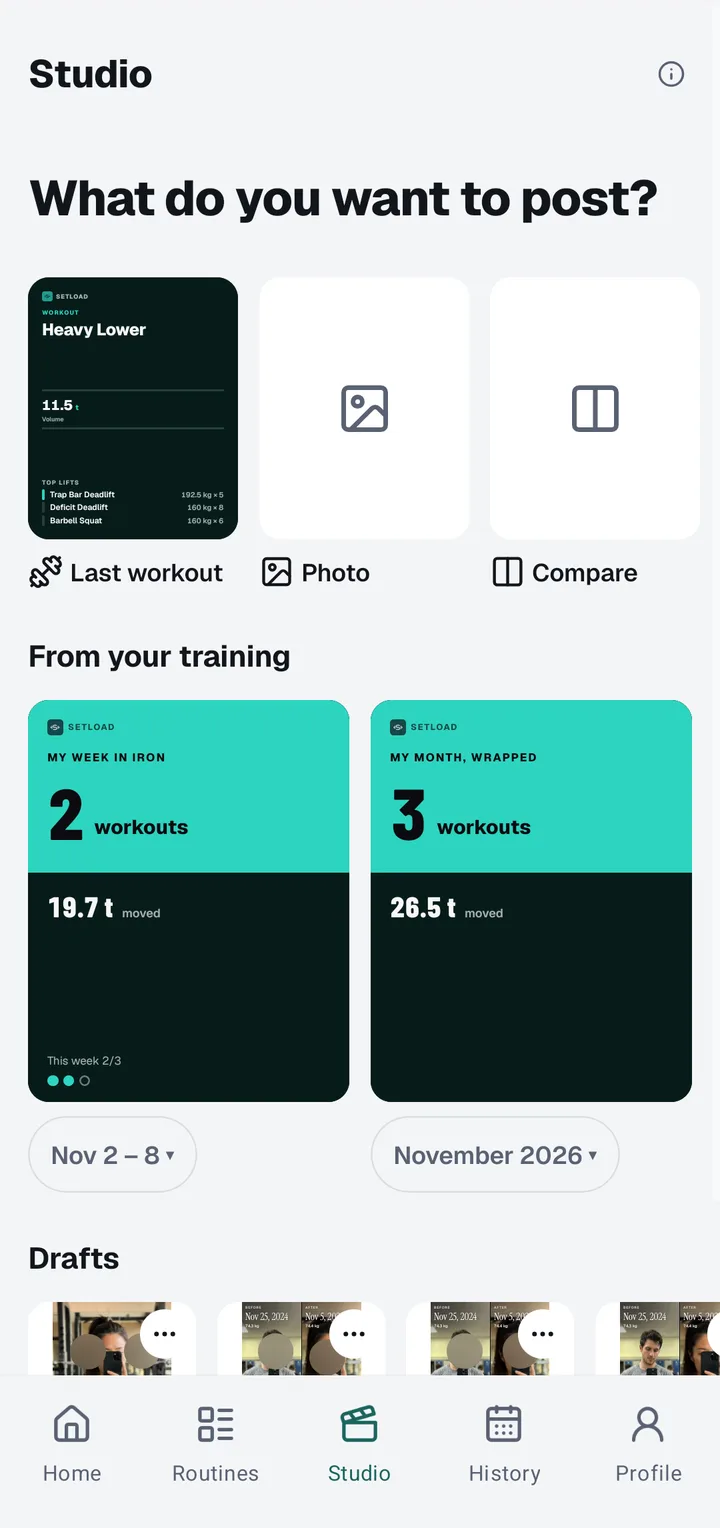
Turn any workout, week or month into a card: serious, fun or a joke. Pick one of 12 palettes and a Story, feed or square size, and switch off any number you’d rather keep to yourself. Everyday cards are free; Setload Pro opens every design, palette and sticker.
Set 15
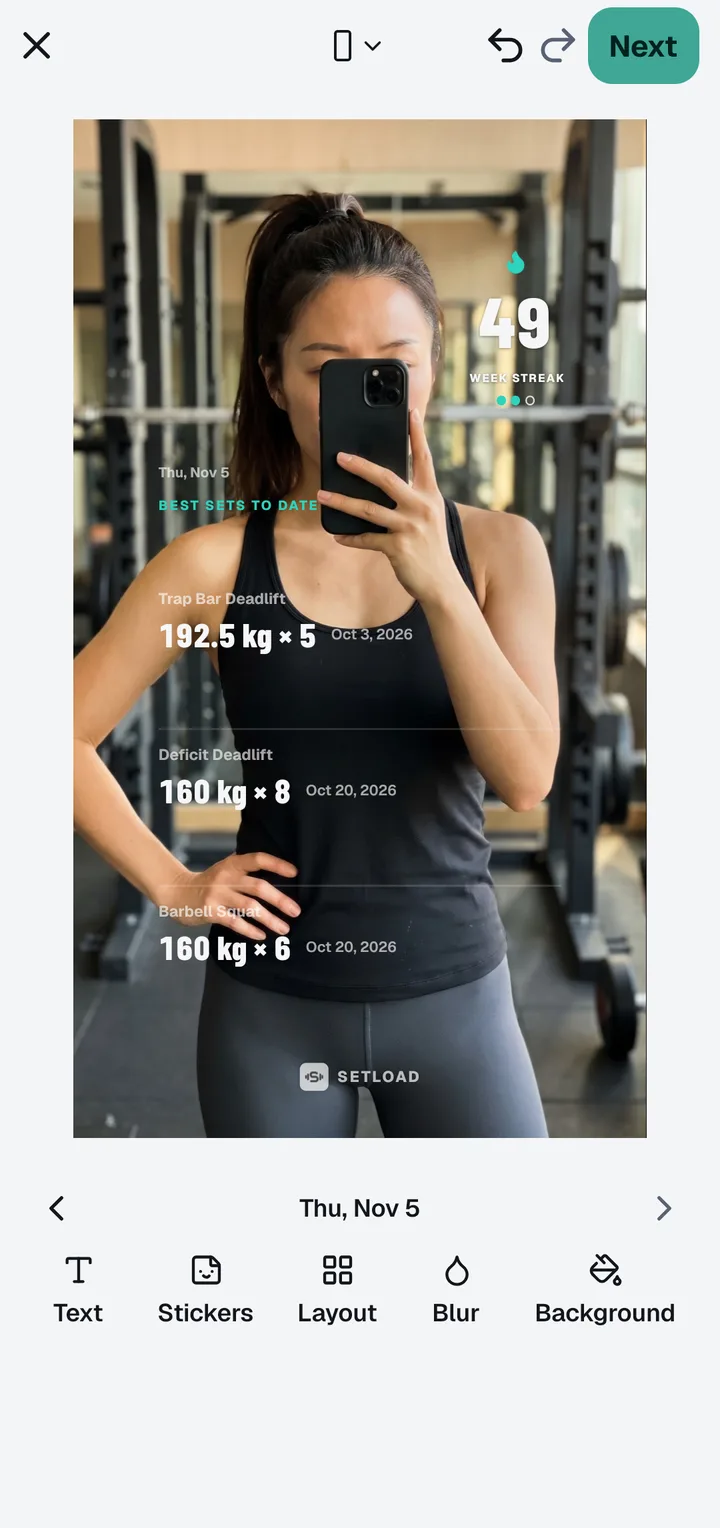
Your stats, on your own gym photo
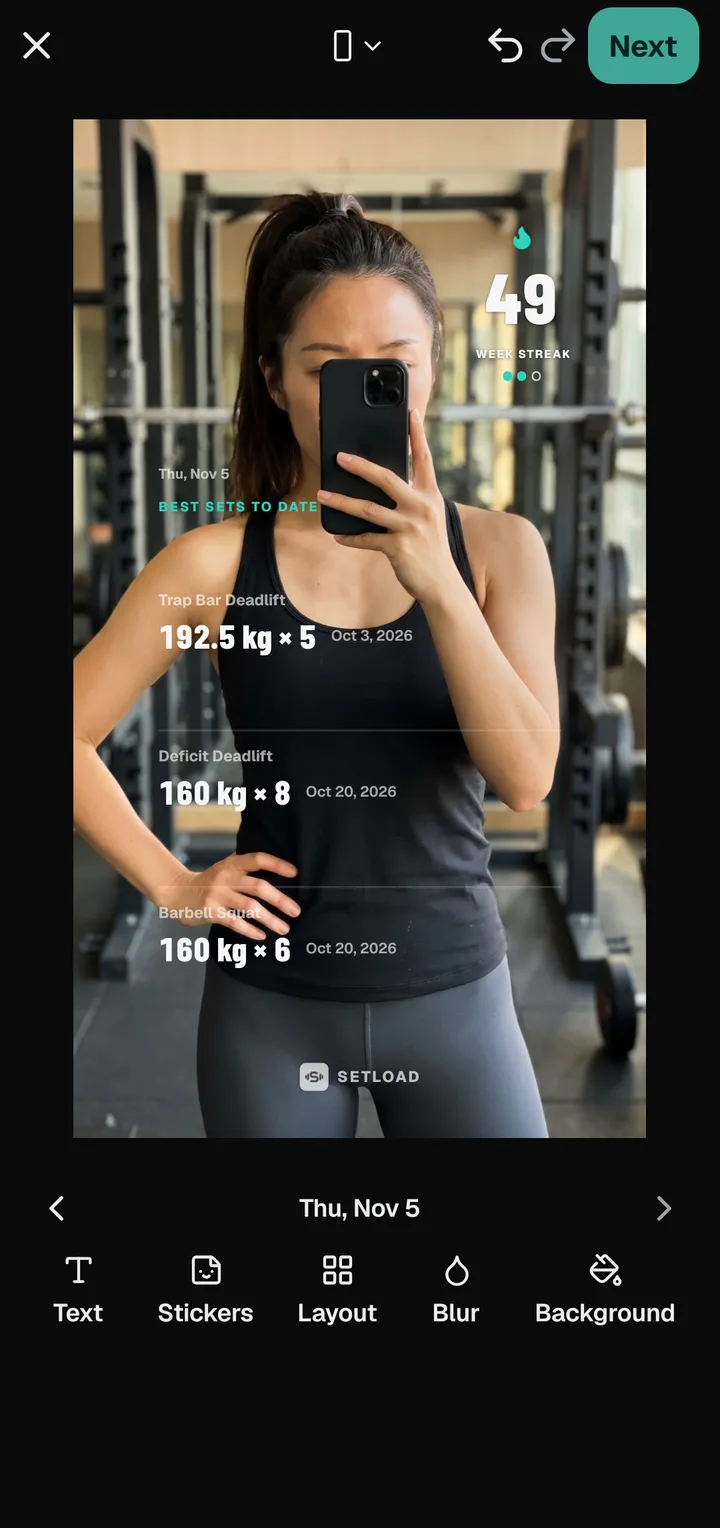
Put stickers on your own photo: stats, a PR badge, your streak, a muscle map or the date in one of four styles. Move, pinch and twist them, add text or blur, then save or share. Drafts keep a half-finished post, and undo takes back any step.
Set 16
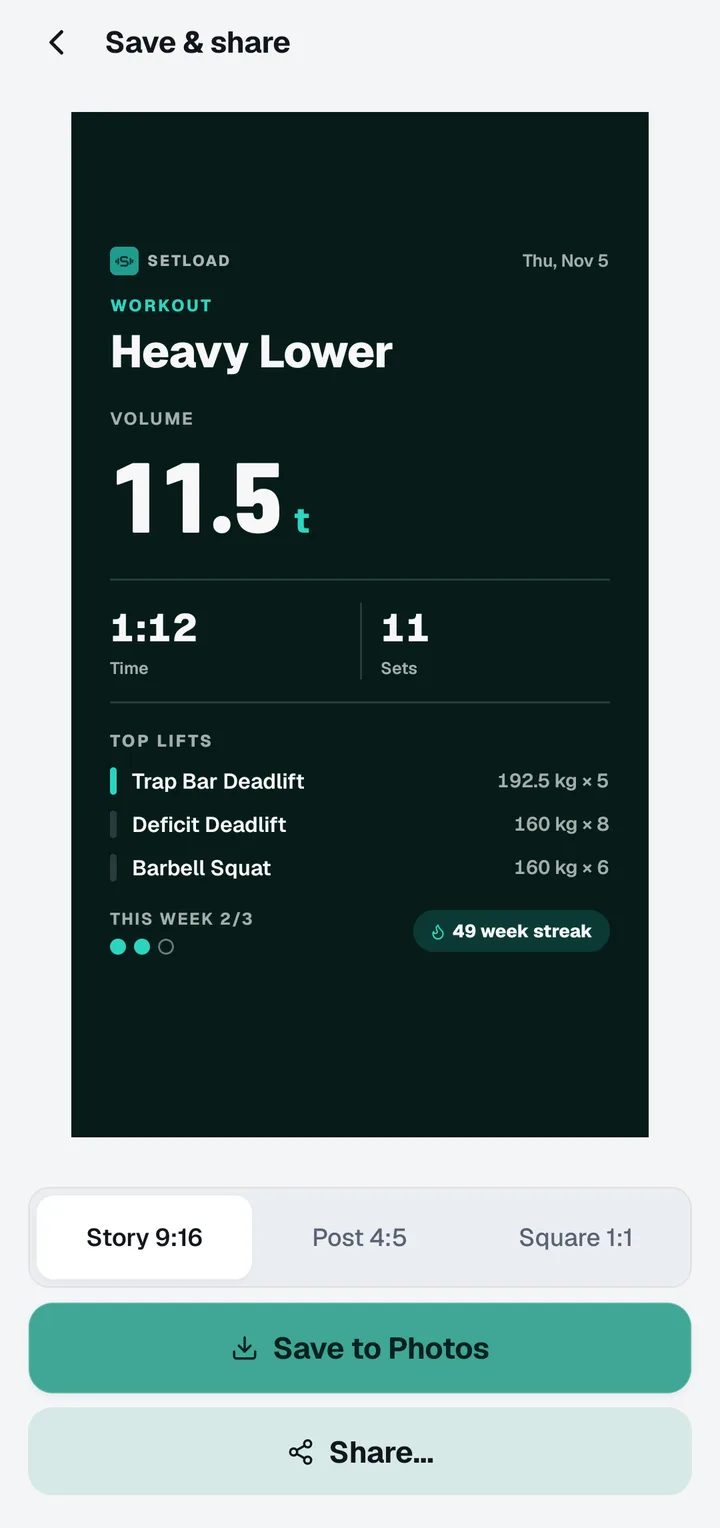
Story, feed or square. Ready to post.
Every card comes in Story, feed and square sizes. Save it to Photos or share it straight to Instagram, X, LINE or any app on your phone. The numbers come straight from your log, so what you post is exactly what you lifted, with no editing app in between.
Drag the sticker. This is how posting works in Setload, only on your phone.
SETLOAD
Leg Day
9,960kgVOLUME48mTime
Drag me ↔
Share Studio
25 card designs. 12 palettes.Every size.
Serious, fun or ridiculous. Export for Story, feed or square.
Everything in Setload
Everything you need.Nothing you don’t.
Logging
One-thumb keypad with steppers
Last time's numbers in every row
Plates per side for barbell lifts
Your gym's plates and bars
Rest timer that starts itself
Lock Screen countdown on iPhone
Warm-up sets, supersets, RPE
Routines and folders
Programs with automatic progression
715 exercises with instructions
Custom exercises
kg or lb, left-hand mode
Progress
Automatic PRs: weight, reps, e1RM
A chart for every exercise
Weekly volume per muscle
Recovery map
Body weight, body fat, measurements
Progress photos with a guide camera
Before and after compare slider
Weekly target and week streaks
History calendar
Sharing
25 card designs and 3 sticker cards
12 palettes
Story, feed and square sizes
Stickers on your own photo
Four date sticker styles
Hide any number or the date
Workout, week and month posts
Drafts and undo
Yours
Works fully offline
No ads, no tracking
No account needed
English and 日本語
Bilingual exercise names
Import from Strong or Hevy (CSV)
Backup and restore
Dark, Light and Setload looks
Start in three steps
From downloadto your first post.
01
Download Setload
Free on iPhone and Android. No sign-up needed: open it and you're ready.
02
Log your first workout
Start a program, a routine or an empty workout, and tap through your sets.
03
Finish and post
Tap Finish, pick a card, and share it before you leave the gym.
Pricing
Free to log.Go Pro when you want more.
Free
$0
For as long as you train
Unlimited workouts and history
Keypad, rest timer, plates
Automatic PRs and the last 90 days of charts
Up to 5 routines and 10 custom exercises
Beginner 5×5 and Full Body programs
Body weight, measurements and photos
Everyday share cards and stickers
Backup, restore and CSV import
Setload Pro
$2.49/ month
Or $19.99 a year, with a free week to try it first.
Prices in US dollars. The store shows your local price before you buy.
Unlimited routines and custom exercises
All-time charts and volume per muscle
The full recovery map
Progress photo compare
Body measurement trends
Every share design, sticker and palette
Every program, with automatic progression
CSV export
FAQ
Questions,answered.
What is Setload, and who is it for?
Setload is a gym workout tracker for iPhone and Android, built for lifters who like to post their training. Log sets, reps and weight with one thumb, follow your PRs, charts, muscles and body, then turn the session into a share card: 25 designs, 12 palettes, Story, feed or square. Offline, no ads, no account needed, in English and Japanese.
Is Setload free?
Yes. Logging, history, records, the rest timer, body tracking, backups and the everyday share cards are free, with no ads. Setload Pro is an optional monthly or yearly subscription that adds unlimited routines, all-time charts, photo compare, every share design and every program. It costs $2.49 a month or $19.99 a year, and the yearly plan starts with a free week.
Can I share my workout to Instagram Stories?
Yes. When you finish, Setload turns the workout into a card in Story, feed or square size. Pick one of 25 designs and 12 palettes, or put stat stickers on your own gym photo, then save it to Photos or share it to Instagram or any app on your phone.
Is it a real workout tracker, or just for posting?
A real tracker first. It logs sets, reps, weight and RPE, warm-ups and supersets, runs programs with automatic progression, detects personal records and charts every lift. Posting is what you do with it afterwards.
Does Setload work offline?
Yes. Everything you log is stored on your phone, so it works in a basement gym with no signal.
Do I need an account?
No. Open the app and start logging; you never have to sign up. There is no tracking.
Where are my progress photos stored?
Only on your phone. Setload does not upload or back up your photos. They leave your phone only when you share a post yourself.
Is Setload available in Japanese?
Yes. Every screen, card and all 715 exercise names are in Japanese, and you can show the English name next to the Japanese one.
Can I bring my history from Strong or Hevy?
Yes. Export a CSV from Strong or Hevy and import it in Setload's settings. Your past workouts, records and charts come with it.
Which programs are built in?
Full Body, Upper/Lower, Push Pull Legs and Beginner 5×5. Beginner 5×5 and Full Body are free; every program with automatic progression is in Setload Pro. You can also build your own routines.


 SETLOAD